AI Email Marketing Tips for Cafés and Restaurants
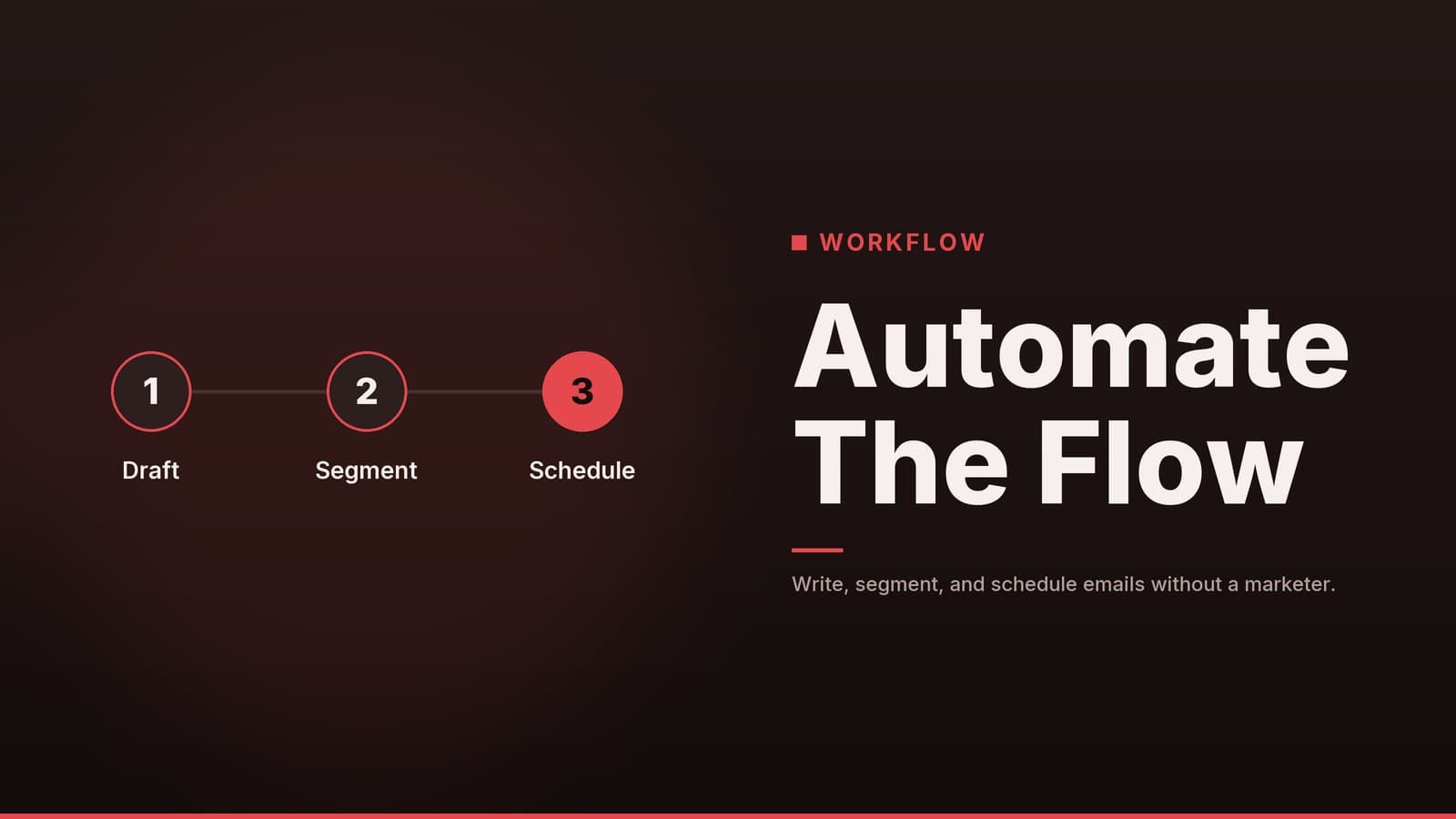
Practical steps to use AI tools for writing, segmenting, and scheduling emails to boost repeat visits without hiring a marketer.
Why AI Fits Small Food Businesses
The everyday bottleneck – A café, restaurant, or small food shop usually runs with a handful of staff. Between taking orders, restocking, and serving guests, there’s little time left for writing personalised emails to every customer segment (regulars, first‑timers, or those who haven’t visited in a while).
What AI actually does – Think of AI as a drafting assistant. It can spin up a first‑draft subject line, body copy, or a list of possible customer segments based on purchase data. The output still needs your review, but the heavy‑lifting of wording and idea generation is done in seconds.
Your brand voice still matters – After the AI draft appears, you add the details that make the message sound like you:
- Use local slang or a favourite catch‑phrase (“Hey, mate, we’ve missed your latte!”).
- Reference a specific menu item (“our new caramel‑drizzle croissant”).
- Insert a personal sign‑off (“See you at the counter, — Emma”).
Cost considerations – Many email‑marketing platforms now bundle a basic AI “subject‑line suggester” or “copy‑assistant” into the core product. If you’re already on a plan that includes these features, you won’t need a separate paid AI subscription. However, more advanced AI capabilities (e.g., bulk‑generation, custom tone training) are often locked behind higher‑tier or add‑on plans, so check your provider’s pricing page before assuming it’s free.
Preparing Your Contact List
| Step | Action | Why it matters |
|---|---|---|
| 1. Clean the list | Remove hard bounces and contacts who haven’t opened any email in the past 12 months. | Improves deliverability and protects sender reputation. |
| 2. Tag by behaviour | Add tags such as Weekly Coffee Buyer, Dessert Lover, Inactive > 60 days. | Enables targeted messaging that feels personal. |
| 3. Connect POS data | Export sales data from your point‑of‑sale system and import it into your email platform (many tools support CSV or direct API sync). | Keeps tags up‑to‑date automatically. |
| 4. Manual tagging when needed | If no integration exists, schedule a weekly 15‑minute session to add tags based on the day’s sales receipts. | Guarantees segmentation even with low‑tech setups. |
Quick‑start checklist
- ☐ Export the current address list from your email tool.
- ☐ Run a duplicate‑removal filter (most platforms have a “remove duplicates” button).
- ☐ Send a test batch to a small internal group to confirm rendering.
- ☐ Set a recurring calendar reminder (monthly) to repeat the cleaning process.
Real‑world snapshots
- Café example – A coffee shop tags anyone who orders a latte on three separate days within a week as Regular Latte. The AI then suggests a “Thanks for being a latte lover” email with a free muffin coupon.
- Restaurant example – A family‑style diner tags diners who ordered dessert in the last month as Dessert Fan. The AI proposes a subject line like “New chocolate cake just for our Dessert Fans”.
Crafting Email Copy with AI
Prompt you can reuse (styled as a blockquote)
Write a short, friendly email to regulars who haven’t visited in 30 days. Offer a free pastry with their next drink. Tone: warm, casual, and specific to a downtown café.
Comparing AI‑generated copy with human‑written copy
| Source | Sample opening line | Strengths | Weaknesses |
|---|---|---|---|
| AI draft | “We’ve noticed you haven’t been to us for a while. Drop by and enjoy a free pastry with your next coffee.” | Quick to produce; covers all required elements. | Generic; lacks the customer’s name and a distinct brand voice. |
| Human‑written from scratch | “Hey Sarah, it’s been a month since your last latte. Swing by tomorrow for a free croissant on the house – just our way of saying we miss you!” | Personalised, uses the customer’s name, mentions a specific pastry, and feels conversational. | Takes longer to write; relies on the writer’s familiarity with the brand. |
| Human‑edited AI draft | “Hey Sarah, we’ve missed you! Come in for a free croissant with your next coffee – our treat for our favourite latte lover.” | Saves time while adding brand‑specific touches; balances efficiency and personality. | Still requires careful review to avoid accidental errors. |
Takeaway – The AI gives you a solid skeleton. Adding a name, a specific menu item, or a local phrase turns that skeleton into a message that resonates.
Generating subject‑line options
Ask the AI to produce five alternatives, then pick the one that feels most natural for your brand. Example options:
- “We’re missing your smile—come back for a free treat”
- “A sweet welcome back from Café Bella”
- “Your next coffee is on us—just for you”
- “Hey Sarah, a free croissant is waiting”
- “It’s been a while… enjoy a pastry on us”
Guarding against invented details
- Discounts & expiry – Verify the exact value (e.g., “free croissant”) and the date it expires before hitting send.
- Legal wording – If you mention “no purchase necessary” or “while supplies last,” double‑check that the statement complies with any local consumer‑protection rules.
- Fact‑checking – Ensure the email does not claim a promotion that isn’t active or a menu item that isn’t offered.
Practical workflow tip
Create a “Copy Prompt” template in your email platform’s content library. When a new campaign is needed, duplicate the template, run the prompt, and paste the AI output into the editor. This keeps the process consistent and reduces the chance of forgetting any step.
Setting Up Simple Automations
| Automation | Trigger | Typical email content |
|---|---|---|
| Welcome series | New subscriber signs up | “Welcome to our family! Here’s a 10 % discount on your first order.” |
| Win‑back | No purchase for > 45 days | “We’ve missed you—enjoy a free pastry on your next visit.” |
| Post‑visit thank you | Order completed | “Thanks for dining with us! Share your experience on Google and get a 5 % off coupon for next time.” |
Building a basic “Win‑back” flow (no redundant steps)
- Create a segment – Inactive > 45 days using the tags you set up earlier.
- Add an automation trigger – “When a contact enters the segment.”
- Insert the email step – Use the edited AI copy (or a human‑written version) as the first message.
- Add a follow‑up – After 7 days, if the contact still hasn’t opened the first email, send a gentle reminder with a slightly different offer (“Still thinking about us? Here’s another free pastry”).
Why start with just these two flows?
- They cover the most common customer‑journey moments (first contact and re‑engagement).
- Fewer flows mean less ongoing maintenance: you only need to monitor deliverability and refresh the copy a few times a year.
Scaling later
- Seasonal promotion flow – Triggered by a calendar date (e.g., “Summer Specials”).
- Loyalty‑milestone flow – Triggered when a customer reaches a purchase count (e.g., “10th coffee – free upgrade”).
Tracking Results and Staying Compliant
Core metrics to monitor
| Metric | What it indicates | How to interpret it |
|---|---|---|
| Open rate | Effectiveness of the subject line | Compare to your own historical average; an upward trend suggests better relevance. |
| Click‑through rate (CTR) | Appeal of the offer or call‑to‑action | A higher CTR means the email content motivated action. |
| Conversion/revenue per email | Direct sales impact | Link the email to POS data (many platforms allow e‑commerce tracking) to see actual spend generated. |
These benchmarks are not universal; use your past performance as the baseline and aim for incremental improvement.
Common pitfalls
- Over‑mailing – For a local café or restaurant, 1–2 emails per month is usually enough. Sending more often can raise unsubscribe rates and spam complaints.
- Neglecting mobile preview – Many small‑business email opens occur on smartphones. Always test the final version on a mobile device.
Compliance disclaimer (not legal advice)
- Permission – You should only email contacts who have opted in to receive marketing messages.
- Data‑privacy laws – Requirements differ by country (e.g., GDPR in the EU, CCPA in California). Verify the rules that apply to your location or consult a qualified professional.
- Unsubscribe – Every email must contain a clear, easy way for recipients to opt out.
Note: The guidance above is general. It does not replace advice from a qualified lawyer or data‑privacy specialist.
Final quality‑check checklist
- ☐ Mobile preview – looks good on a phone screen.
- ☐ Subject line – no all‑caps, excessive punctuation, or spam‑trigger words.
- ☐ All links – test each URL, ensure tracking parameters work if you use them.
- ☐ Offer details – correct discount amount, expiry date, and any fine print.
How HeyGrowin Can Help
HeyGrowin offers tools that can support website creation, booking functions, and basic CRM tasks. Depending on the plan, the platform may also include AI‑enhanced features such as copy‑suggestion assistance. Its offerings are aimed at small food businesses looking for a quick start, and some plans do not require long‑term contracts.
Explore the options that fit your café, restaurant, or food‑service operation at HeyGrowin.
Frequently asked questions
Do I need a separate AI tool for email marketing?
Not necessarily. Many popular email marketing platforms now include built-in AI writing assistants. Check your current provider's features before buying a new tool.
How often should a café or restaurant send emails?
There is no universal rule, but 1-2 emails per month is a common starting point for local businesses. Monitor your unsubscribe rate; if it rises, reduce frequency.
Can AI write emails in different languages?
Yes, most AI tools can translate and adapt tone for different languages. However, always have a native speaker review the final draft to ensure cultural appropriateness and accuracy.