Email Marketing vs CRM: Which Tool Fits Your Small Business?
Compare email marketing and CRM systems to choose the right solution for your shop, clinic, or service firm.
Choosing Between Email Marketing and CRM: A Practical Guide
Many small business owners face a common dilemma: do you need a simple tool to send newsletters, or a more complex system to manage customer relationships? The answer depends less on your industry and more on how you interact with your customers.
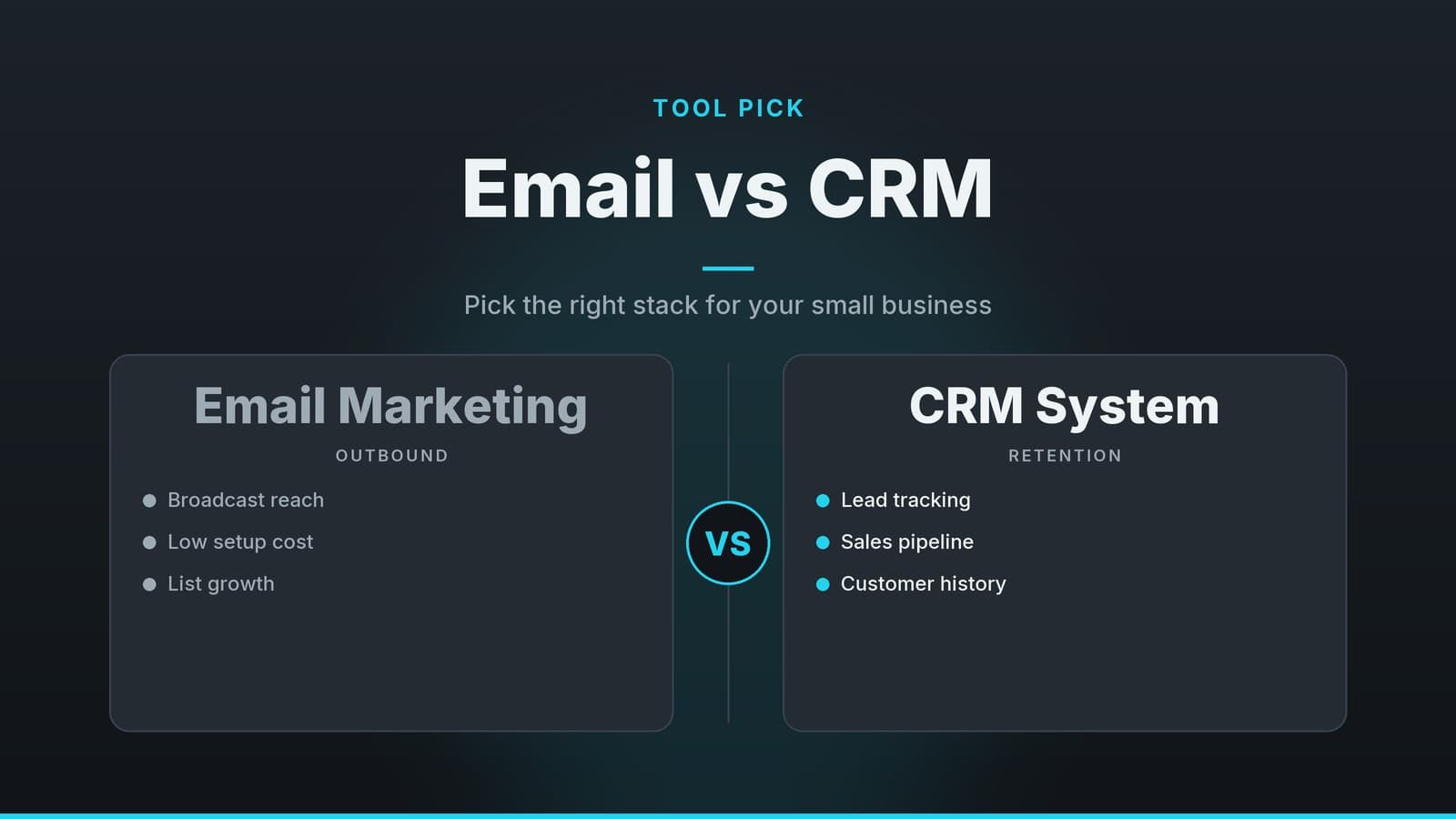
An email marketing tool is designed for broadcasting. It helps you send bulk messages, keep your subscriber list clean, and track basic metrics like opens and clicks. Think of it as a megaphone: you say something, and you measure how many people heard it.
A Customer Relationship Management (CRM) platform is designed for depth. It can store many types of interactions—phone calls, meetings, purchase history, support tickets, and notes—but the exact data you can record depends on the specific tool. It acts as a digital filing cabinet that also suggests next steps, such as following up on a quote or renewing a membership.
The overlap exists because both can automate follow‑ups. However, the distinction is critical: an email tool knows you sent a message; a CRM knows the entire history of the relationship, including what they bought, when they visited, and what they said during a call.
If your primary goal is to announce promotions or share updates, an email‑only solution is often sufficient. If you need to track a client from their first inquiry through to repeat business and manage internal tasks, a CRM (or a combined solution) provides the necessary structure.
Key Decision Factors for Small Businesses
Before looking at specific software, evaluate your workflow using these four factors. This helps you narrow down the vendor list quickly.
| Factor | What to Ask Yourself | Impact on Tool Choice |
|---|---|---|
| Type of Communication | Are you mainly sending newsletters and event invites, or doing one‑to‑one sales outreach? | Newsletter‑heavy businesses often start with email platforms. Sales‑driven teams benefit from CRM‑driven automation and task management. |
| Data Needs | Do you need simple list segmentation (e.g., “customers in City X”) or a full interaction history (appointments, tickets, purchase dates)? | Simple segmentation points to email‑only tools. Full history and pipeline tracking require a CRM or hybrid solution. |
| Pricing Model | Is your budget better suited to per‑recipient costs or per‑user seats? | Email tools often charge based on the number of contacts or emails sent. CRMs typically charge a flat fee per user per month. |
| Integrations | Do you need the tool to talk to your POS, booking software, or e‑commerce platform? | Check for native integrations. CRMs often include connectors for business apps; email tools may rely on third‑party services such as Zapier to connect systems. |
For example, a café that already uses a reservation system should prioritise a solution that integrates directly with that system. This avoids the need to manually export and import customer data, which is time‑consuming and prone to errors.
Typical Use Cases by Business Type
Different business models have different data needs. Below are practical examples of how different types of businesses might approach this choice. Note that these are general patterns; your specific needs may vary.
Retail Shops
Primary Goal: Drive foot traffic and retain loyalty program members.
Retail often relies on broadcast messaging. If your main activity is sending weekly promotions or reminding members of their points balance, an email‑first approach is usually efficient. You can segment your list by purchase frequency (e.g., “customers who bought in the last 30 days”) without needing a full sales pipeline. A CRM might be overkill unless you are managing a complex B2B sales process alongside your retail sales.
Clinics and Health Services
Primary Goal: Manage appointments and reduce missed bookings.
Clinics generate a lot of structured data: appointment times, patient contact details, and visit history. A CRM is often valuable here because it can store this history and trigger automated reminders (via email or SMS) when a booking is made. While email tools can send reminders, they may not integrate as deeply with scheduling software to automatically pull in appointment details. A CRM or a specialised practice‑management system that includes CRM features helps ensure staff can see the full context of a patient’s history before they arrive.
Restaurants and Cafés
Primary Goal: Announce seasonal menus, special events, and occasional offers.
For most restaurants, email marketing alone is sufficient. The primary value is in announcing new menu items or events. If you want to track repeat diners—
Frequently asked questions
Can I use a free email marketing tool instead of a CRM?
Yes, if you only need to send newsletters and simple list segmentation, a free email tool may suffice, but it won’t store detailed interaction histories.
Do CRMs include email marketing features?
Many CRMs offer built‑in email campaigns, though they may lack advanced design templates and high‑volume sending limits of dedicated email platforms.
What’s the risk of using separate tools?
Data silos can form, requiring manual sync or extra integration work, which can increase errors and time spent.