Free vs Paid Gym Booking Systems: Which Fits Your Budget?
Compare the hidden costs of free gym booking tools against paid plans to find the right fit for your membership structure and staff size.
The Real Cost of “Free” Booking Tools
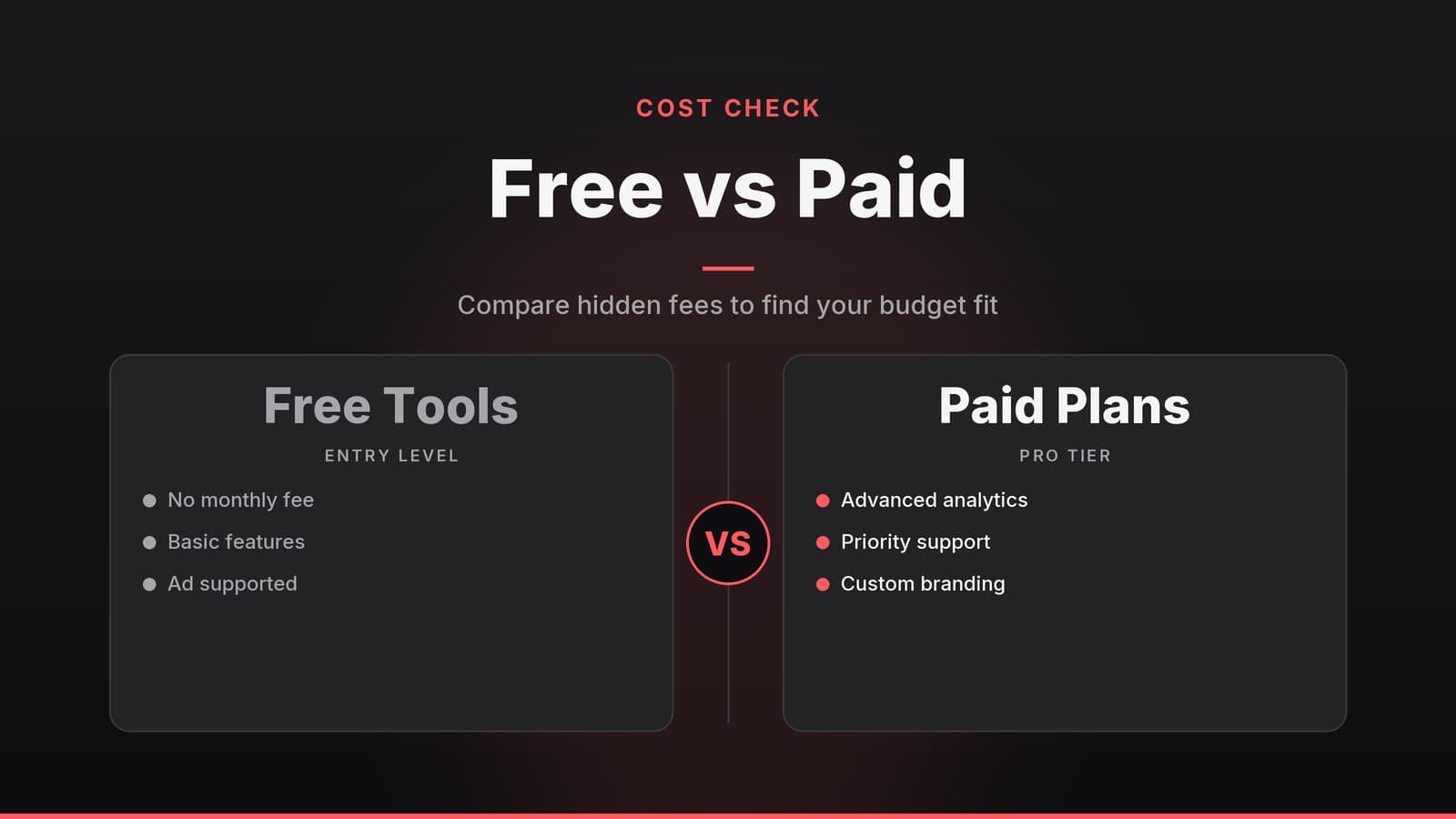
For many small business owners, a “free” booking system looks like an instant saving. In most cases, “free” means a freemium model: a stripped‑down version at no charge, with key capabilities limited. It can work for a very small operation, but the constraints often become costly as the business grows.
The most common constraints in free tiers relate to capacity and functionality. Below is a breakdown of where these tools typically fall short for a growing business.
| Common Limitation | What It Looks Like in Practice | Business Impact |
|---|---|---|
| Staff User Cap | Free tiers often limit the number of staff user accounts; the exact number varies by vendor. | You may be forced to share logins, which is a security risk, or manually reassign bookings, wasting staff time. |
| Appointment Volume | Free tiers may impose a monthly booking limit, which varies by vendor. | If you run a promotion or have a busy season, the system may stop accepting new clients, leading to lost revenue. |
| Booking Types | Free tiers may restrict appointment types to simple one‑on‑one bookings and may not support recurring classes or group sessions. | You cannot easily publish recurring class schedules, group sessions, or resource‑based bookings (like a specific room). |
| Payment Processing | Free tiers may include transaction fees for payments or may lack a built‑in payment gateway. | You may need to manage payments separately, creating friction for customers and extra admin work for you. |
| Branding | Vendor logo or default color scheme remains visible. | Your booking page may look generic, potentially reducing customer trust compared to a fully branded experience. |
| Support Access | Support on free tiers is often limited to community forums or email, with live support reserved for paid plans. | If a technical issue stops bookings during peak hours, you may have to wait for a response, disrupting operations. |
A practical example of this friction is a boutique studio running a “bring‑a‑friend” promotion. If their free tier reaches a booking limit mid‑promotion, the system stops accepting new appointments. The owner then faces a choice: upgrade (often at a higher rate than planned) or manually track overflow in a spreadsheet, which increases the risk of double‑booking and errors.
The hidden cost of “free” is often the timing of the upgrade. Because limits are hit based on usage rather than time, you may face an unexpected bill in the middle of a quarter, disrupting your budgeting.
Key Features to Compare: Free vs. Paid
Before deciding, you need to understand what you are giving up. The difference between a free tier and a paid plan is rarely just about price; it is about operational capability.
| Feature | Free Tier (Typical) | Paid Tier (Typical) |
|---|---|---|
| Staff Capacity | Limited number of users; varies by vendor | Higher limits or unlimited, often priced per user |
| Scheduling Complexity | Simple one‑on‑one slots | Recurring classes, capacity limits, resource allocation (rooms/equipment) |
| Payment Integration | May lack a built‑in gateway or charge transaction fees | Integrated gateways, recurring billing, invoicing features |
| Integrations | Basic calendar sync (e.g., Google) | CRM, email marketing, accounting software, website builders |
| Reminders | Basic email notifications; SMS often excluded | Automated SMS and email reminders, with customizable templates |
| Reporting | Basic appointment list | More advanced reporting, such as attendance trends, revenue per session, staff utilization |
| Branding | Vendor logo visible | Options to customize branding, such as logo, colors, and domain |
| Support | Community forum or email | Live chat, phone, or priority email support |
Simple Calendar vs. Resource Management
A free tool often functions like a shared digital calendar: you create a slot, a client picks it, and you confirm it. This works for a solo consultant or a therapist with a simple schedule.
However, if you need resource management—such as assigning a specific treatment room, limiting the number of students in a yoga class, or managing equipment loans—the software must track multiple variables simultaneously. This complexity is usually found in paid plans because it requires more robust backend logic. For a restaurant, for instance, this might mean managing table layouts; for a gym, it means tracking which trainer is in which studio.
The Role of Automated Reminders
No‑shows are a common issue in service businesses. While specific rates vary by industry and region, missed appointments directly impact revenue. Automated reminders (via SMS or email) are a standard feature in many paid plans that help reduce this loss. Free tiers often restrict SMS capabilities or limit the number of messages, forcing you to send reminders manually or miss out on the efficiency gains.
For a deeper dive into the technical side, see our guide on How to Set Up a Secure Online Booking System for Your Business.
When a Free Tool Is Enough
Not every business needs a premium system. If your operation is small and your workflow is simple, a free tool can be a viable, low‑risk option. Here are scenarios where a free system may genuinely meet your needs.
| Situation | Why Free May Work | Checklist Before Committing |
|---|---|---|
| Solo Practitioner | You are the only staff member; bookings are one‑on‑one; no complex resources to manage. | • Verify that the free tier allows unlimited personal bookings for your role. • Confirm you can embed the widget on your existing website. • Assess whether the vendor’s branding aligns with your professional image. |
| Very Small Team | Low volume stays under any monthly caps; class sizes are modest. | • Ensure the monthly appointment limit exceeds your typical traffic. • Test the class‑booking feature (if offered) for capacity limits. • Confirm the free plan includes email reminders. |
| Existing Tech Stack | You already use a website builder or CRM with built‑in scheduling. | • Map the features you already have (e.g., native scheduling in Wix or Squarespace). • Verify the built‑in tool supports payment collection or integrates with your gateway. |
| Start‑Up Phase | Cash flow is tight; you can handle manual admin temporarily. | • Allocate specific staff time for manual follow‑up. • Set a review date (e.g., after 3 months) to evaluate if an upgrade is needed. |
Branding Tip: Some tools may offer logo removal for a fee or as part of a premium plan. If a clean, professional look is essential for your marketing, factor this cost into your decision early.
When You Need a Paid System
The balance tips toward a paid solution when specific operational triggers appear. These are moments where the time saved and revenue protected typically outweigh the subscription cost.
| Trigger | Why It Matters | Practical Benefit |
|---|---|---|
| More Than 2 Staff Members | Each staff member needs their own login, schedule, and client list. | Avoids security risks of shared passwords; improves accountability. |
| Recurring Classes/Sessions | You need to set up repeat sessions, caps, and waiting lists. | Reduces manual entry errors; fills sessions faster; improves revenue predictability. |
| Automated Payments | Memberships, class packs, or recurring invoices require automatic billing. | Reduces cash‑flow gaps and staff time spent chasing payments. |
| Detailed Reporting | You need to see class popularity, staff utilization, or revenue per session. | Enables data‑driven decisions, such as adding high‑demand classes or adjusting staff schedules. |
| High No‑Show Impact | Each empty slot equals lost revenue; manual reminders are inefficient. | SMS/email automation lowers no‑shows, directly boosting income. |
| Integration Needs | You need to sync with email marketing, accounting, or a CRM. | Eliminates double data entry; reduces administrative errors. |
Understanding the ROI
While exact numbers vary by business, the return on investment for a paid system usually comes from two areas: time savings and revenue protection. Reducing missed appointments and avoiding booking caps can help offset the cost of a subscription. This principle applies across service‑based businesses such as fitness studios, clinics, or real‑estate agencies.
How to Choose and Migrate
Switching from a free tool to a paid platform—or selecting the right system from scratch—should be a systematic process. Below is a practical checklist to guide you through the transition.
1. Define Your Core Needs
Before looking at vendors, list your non‑negotiables:
- Number of staff users required.
- Types of bookings (one‑on‑one, group classes, equipment).
- Payment workflow (one‑off, recurring, discounts).
- Required integrations (email, CRM, accounting).
2. Research Vendors
- Visit each vendor’s pricing page; note whether they charge per user or a flat monthly rate.
- Look for a free trial or sandbox environment to test the user interface.
- Scan recent reviews for support responsiveness; a paid plan is only valuable if you can get help quickly.
3. Run a Pilot
- Pick a low‑traffic week and run bookings through the new system while keeping the old one as a backup.
- Track time spent on admin tasks (e.g., entering a new client, sending reminders) to quantify efficiency gains.
4. Plan Data Migration
- Export existing client data from the free tool as a CSV file (most platforms provide this).
- Map columns to the new system’s fields (name, email, phone, membership type).
- Test the import with a small batch of data before moving the full list to avoid errors.
5. Check Cancellation and Data Ownership
- Review the terms of service for contract length and cancellation policies.
- Verify that you retain ownership of your client records and can export them at any time without a fee.
6. Train Staff
- Create a short cheat‑sheet covering login, booking creation, and manual overrides.
- Schedule a brief walkthrough for each staff member; the goal is to keep the learning curve minimal.
7. Monitor Key Metrics
For the first 30–60 days, track:
- Booking volume vs. any remaining limits.
- No‑show rate before and after automated reminders are enabled.
- Staff time spent on scheduling tasks.
If the metrics do not improve, or if the system creates more friction than it solves, revisit your feature requirements or consider a different vendor.
How HeyGrowin can help
HeyGrowin builds custom booking and CRM solutions that scale with your business, from a solo trainer to a multi‑location chain. Our ready‑made tools let you start accepting online bookings today while we handle the integration, branding, and automation you need. Learn more at HeyGrowin.
Frequently asked questions
Do free gym booking systems charge transaction fees?
Many free tools charge a percentage of each payment processed through their platform. Always check the current fee structure on the vendor's pricing page, as this can add up significantly over time.
Can I switch from a free to a paid plan later?
Yes, most systems allow you to upgrade your plan at any time. Your existing data and bookings should carry over, but it is wise to test the upgrade process during a trial period if possible.
What is the biggest difference between free and paid scheduling for gyms?
The main differences are usually the number of staff accounts allowed, the ability to schedule recurring classes, and the level of automation for reminders and payments.