Gym vs Fitness Studio Websites: What Small Business Owners Need to…
A practical guide to choosing, building, and maintaining a website that fits the unique needs of gyms and fitness studios.
Define Your Business Model and Goals
Identify Your Service Model
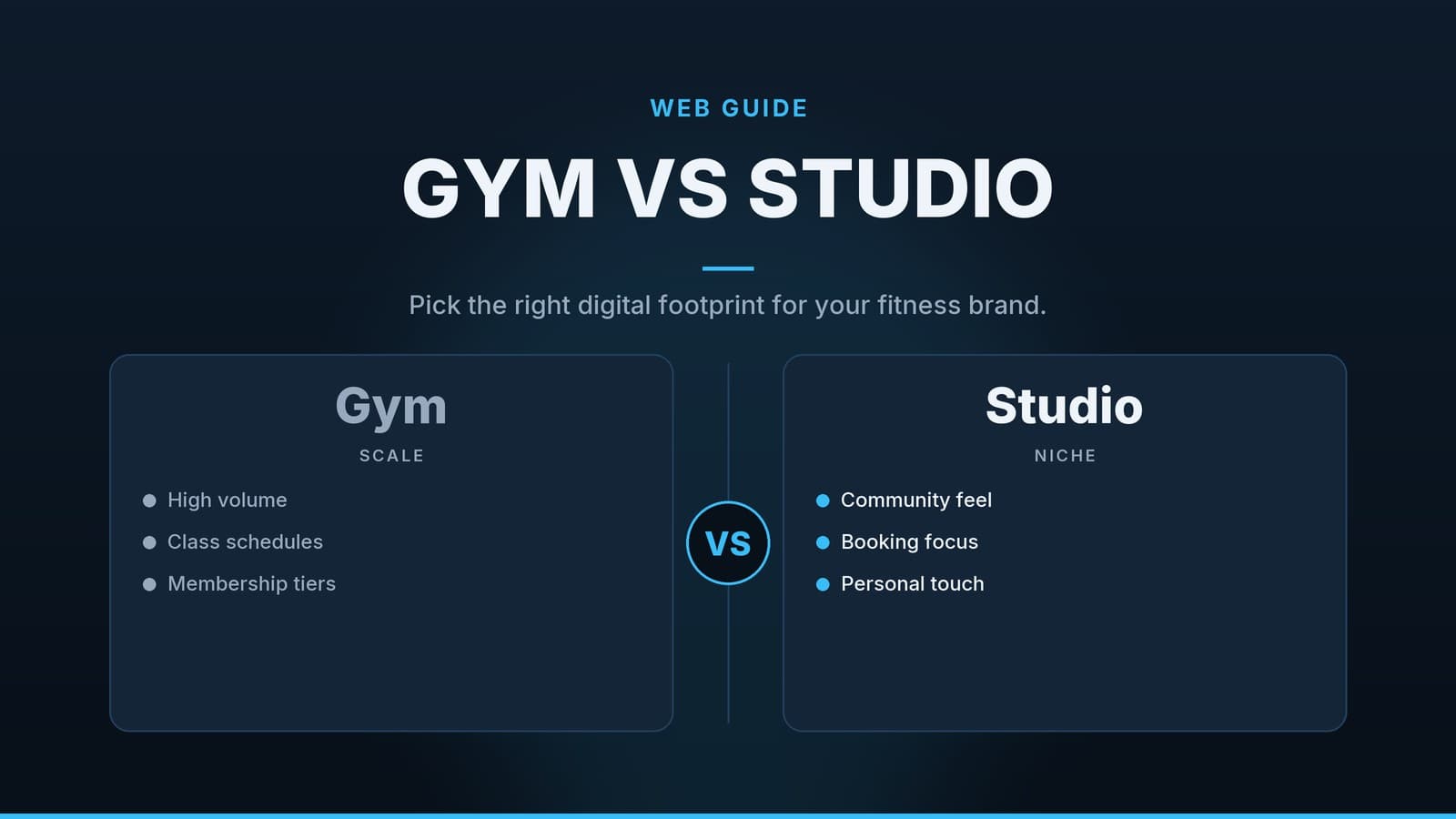
- Traditional gym – open‑floor equipment, usually sold via recurring memberships.
- Boutique studio – classes sold per session or in small packages; often relies on a strong community feel.
- Hybrid – a mix of open‑floor time and scheduled classes.
Your model determines how you price members, how many class slots you need to display, and whether you sell recurring subscriptions, one‑off tickets, or both.
Set Concrete Website Objectives
Write the top two or three goals you want the site to achieve and keep them visible while you make decisions. Typical objectives for fitness businesses include:
- Capture leads – collect phone numbers or email addresses from visitors who are still deciding.
- Enable online bookings – let users pick a class slot and pay instantly.
- Sell memberships – allow new members to sign up for monthly or annual plans without calling.
- Foster community – host a blog, photo gallery, or member forum that keeps people engaged.
Essential Features for Gym and Fitness Websites
| Feature | Why it matters | Simple way to implement |
|---|---|---|
| Online class schedule & booking | Reduces phone traffic and lets members reserve spots instantly. | Use a calendar widget from a booking SaaS (e.g., Acuity, Calendly) or a WordPress plugin that syncs with Google Calendar. |
| Membership sign‑up & payment gateway | Enables recurring billing for gyms and per‑class purchases for studios. | Connect Stripe, PayPal, or a local processor; most website builders include a “payments” block you can drop in. |
| Member portal | Gives members access to their class history, progress charts, and profile settings. | For DIY sites on WordPress, consider a simple CRM plug‑in such as HubSpot CRM (free), Zoho CRM, or a membership plug‑in like MemberPress. |
| Responsive (mobile‑first) design | Many prospective members browse on smartphones; a site that looks broken will lose leads. | Choose a template that automatically adapts to screen size and test with Chrome’s device toolbar or a real phone. |
| Local SEO basics | People search “gym in [city]” or “pilates studio near me”. Good local SEO puts you on the first page of Google Maps. | Add city‑specific keywords in page titles, meta descriptions, and image alt‑text; claim and keep your Google Business Profile up‑to‑date. |
| Clear contact options | Quick ways to ask a question increase conversion. | Display a phone number prominently, add a short contact form, and consider a live‑chat widget that forwards messages to your phone or email. |
Mini case notes (illustrative only)
- A yoga studio that added an online 10‑class pass saw a modest increase in online sales after the feature went live.
- A neighboring gym that integrated a recurring‑billing widget reported smoother cash flow because fewer members needed to call in to renew.
(These observations are based on typical outcomes reported by small fitness operators; exact results will vary.)
Choosing the Right Platform
| Platform type | Pricing (check vendor) | Technical skill needed | Core strengths | Ideal for |
|---|---|---|---|---|
| Hosted website builders (e.g., Wix, Squarespace) | Varies by plan; basic tiers are usually low‑cost, higher tiers add e‑commerce blocks and priority support. | Very low – drag‑and‑drop editor | All‑in‑one hosting, design templates, built‑in SEO tools | Owners who want a site up quickly and do not need deep customisation |
| Content Management Systems (e.g., WordPress) | Typically requires a shared‑hosting fee plus optional plug‑in costs; exact amounts depend on host and add‑ons. | Low‑to‑moderate – install themes, configure plug‑ins | Vast plug‑in ecosystem (booking, payments, member portals) | Businesses that need flexibility and may expand to a blog or custom forms later |
| Specialised fitness SaaS platforms (e.g., Mindbody, Zen Planner) | Usually a base subscription plus per‑member or per‑transaction fees; total cost can vary widely. | Low – most features are ready‑made | Integrated scheduling, payments, member app, reporting | Studios that want everything in one system and are comfortable with a higher monthly spend |
Tip: If you already use a management system for class calendars, check whether it offers an embeddable booking widget; that can eliminate the need for a separate plug‑in.
For a deeper dive into the pros and cons of each approach, you may want to read our related article “Gym vs. Fitness Studio: Picking the Right Management Software”. Verify that the link is still active before relying on it.
Budgeting and Cost Considerations
| Item | Approximate cost range* | What to watch for |
|---|---|---|
| Domain name | Varies; many .com or local TLDs are modestly priced. | Avoid long, hyphenated names; renew automatically to prevent lapses. |
| Hosting or builder subscription | Depends on provider and plan tier; basic options are usually inexpensive, higher tiers add storage, e‑commerce, or support. | Higher tiers unlock e‑commerce blocks, more storage, or priority support. |
| Booking / payment add‑ons | May be a flat monthly fee or usage‑based pricing; compare both models against expected volume. | Some plugins charge per booking, others a fixed monthly price—calculate total cost for your traffic level. |
| Design work | Can range from using a free template to hiring a freelancer or agency; prices differ by market and scope. | Request a fixed price and a clear revision limit before work begins. |
| Ongoing maintenance | Often covered by your subscription, but budgeting for occasional plug‑in updates or small tweaks is wise. | Keep a contingency for unexpected changes or security patches. |
| Optional marketing tools (email automation, SMS reminders) | Pricing varies by tool and feature set. | Ensure the tool integrates with your booking system to avoid duplicate data entry. |
*These figures are illustrative and based on publicly listed pricing from typical providers as of 2024. Exact costs vary by vendor, plan tier, and geographic location; always verify current rates on the provider’s pricing page.
A spreadsheet template that you can adapt for your own fitness site is mentioned in the guide “How to Cost a Small Business Website Project”. Check the guide for any available download options.
Step‑by‑Step Build Process
1. Secure a Brand‑Friendly Domain
Pick a short, easy‑to‑spell name that reflects your business and, if possible, includes a relevant keyword (e.g., cityfitgym.com). Register it through a reputable registrar and enable auto‑renewal.
2. Choose a Platform and Start a Trial
Select the platform that matches the comparison table above. Most providers offer a free trial; use this time to explore the editor, test a booking widget, and verify that the platform supports your preferred payment gateway.
3. Pick a Template Tailored to Health & Wellness
Look for a design that showcases high‑quality photos and has clear call‑to‑action (CTA) placement.
- Gym – bold colors, strong typography, space for equipment images.
- Studio – softer tones, more white space, emphasis on class descriptions.
4. Build Core Pages
| Page | Core elements |
|---|---|
| Home | Headline, value proposition, primary CTA (e.g., “Book a free trial”). |
| About | Owner/coach bios, certifications, community story. |
| Classes / Schedule | Searchable calendar, filters by type/level/time, “Book now” button. |
| Membership | Pricing table, benefits list, FAQ, CTA to sign up. |
| Contact | Phone, email, address, map, short contact form. |
| Blog (optional) | Posts on workout tips, member success stories, local events. |
5. Integrate a Booking System
- Embed the widget on the Schedule page.
- Test a full booking flow: select a class, complete payment, receive confirmation email, and verify that the booking appears in your management software.
6. Implement Basic Local SEO
- Keyword research – start with simple tools like Google’s “People also ask” box or the free version of Ubersuggest. Identify 3‑5 city‑specific phrases (e.g., “CrossFit gym Austin”).
- On‑page elements – add the city phrase to each page’s title tag (≈ 60 characters) and meta description (≈ 155 characters).
- Image alt‑text – describe the image and include the city phrase where relevant (e.g., “Group HIIT class at Downtown Fitness”).
- Schema markup – many builders have a “Local Business” or “Gym” schema option; enable it or install a lightweight plugin such as Schema Pro for WordPress.
7. Connect Analytics
- Google Analytics (GA4) is the current version; add the GA4 measurement ID via the platform’s header settings or a plug‑in.
- Define conversions such as “Membership sign‑up completed” or “Class booking confirmed” so you can see which pages drive the most revenue.
8. Soft Launch and Iterate
Invite a handful of existing members to test the site. Ask them to:
- Book a class and complete payment.
- Navigate the member portal (if you have one).
- Report any broken links or confusing wording.
Fix any issues before promoting the URL on social media, email newsletters, and in‑store signage.
Ongoing Maintenance
| Frequency | Tasks | Reason |
|---|---|---|
| Monthly | • Refresh the class schedule with any new sessions or instructor changes. • Review payment gateway logs for failed transactions. • Export a backup of site data (most platforms provide an automatic backup; an extra manual export adds safety). | Keeps the booking experience accurate and protects against data loss. |
| Quarterly | • Run a basic SEO audit: verify that your Google Business Profile is current, update meta descriptions if you’ve added services, and check that schema markup is still present. • Swap out hero images with recent photos of the studio or members. • Test mobile responsiveness on a new device or emulator. | Maintains search visibility and ensures a smooth experience for mobile visitors. |
| Annually | • Renew domain registration and hosting or builder subscription. • Review your feature set: decide whether you need advanced tools such as automated email reminders, loyalty programs, or a more robust CRM, and consider upgrading the plan if needed. • Conduct a cost review: compare current booking and payment fees with alternative providers to ensure you’re still getting value. | Prevents service interruptions and helps you stay on budget as the business grows. |
Set calendar reminders (e.g., in Google Calendar or your preferred task manager) for each of these items so nothing slips through the cracks.
How HeyGrowin Can Support Your Project
HeyGrowin offers custom fitness‑focused website builds that can include booking, payment, and member‑portal functionality. Their team can help you:
- Choose the most cost‑effective platform for your specific needs.
- Configure integrations with popular payment processors and CRM tools.
- Implement basic local SEO and analytics tracking.
Because the service is optional, you can evaluate the offering at your own pace. More information is available at https://heygrow.in.
Frequently asked questions
Do I need a separate app for my gym if I have a website?
Not necessarily; many booking and payment tools embed mobile‑friendly widgets that work directly in the browser, though a dedicated app can add loyalty features if you have a large member base.
Can I switch platforms later without losing SEO rankings?
Yes, if you migrate carefully—keep the same URLs, set up 301 redirects for any changes, and retain meta data during the move.
Is it worth paying for a premium template?
A premium template can save design time and often includes built‑in sections for classes and testimonials, but a well‑chosen free template can work if you customize it thoughtfully.