Local SEO Guide for Small Clinics: Step‑by‑Step Strategy
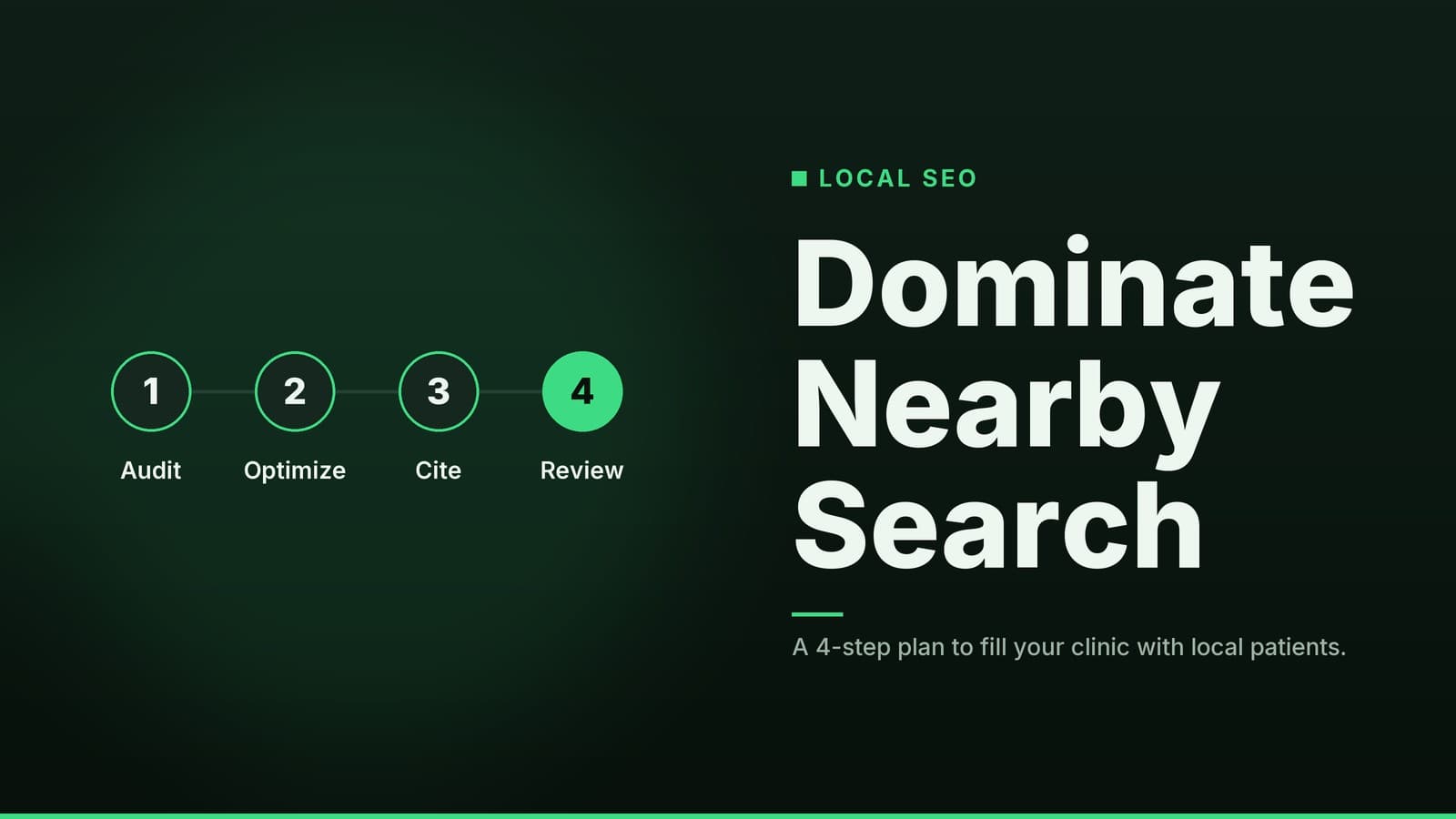
A practical, step‑by‑step plan for clinic owners to improve local search visibility and attract more patients.
Why Local SEO Matters for Clinics
Local search is one of the most effective ways for patients to find a new provider. When someone types “dentist near me” or “pediatrician in [City],” they are often ready to book an appointment immediately.
- Patients start locally. Most people looking for a family doctor, dentist, or physiotherapist begin their search on Google or Google Maps.
- Visibility drives action. Appearing in the “3-pack” (the top three local listings) or the local map results significantly increases the chance of receiving a phone call or direction request compared to standard organic results.
- Sustainable channel. Unlike paid ads that stop delivering leads when the budget pauses, a well-maintained local SEO profile continues to attract patients with minimal ongoing cost.
Set Up and Verify Your Google Business Profile
Your Google Business Profile (GBP) is your digital storefront. Getting this right is the foundation of local visibility.
Creation and Details
- Create the profile. Go to google.com/business and sign in with the clinic’s official Google account. Use the legal business name exactly as it appears on your licenses and signage.
- Enter accurate NAP. Fill in the Name, Address, and Phone number (NAP) exactly as they should appear everywhere else online. Use the full street address, city, and postal code. Avoid abbreviations that differ from other listings.
- Add business hours. Include regular opening times and any special holiday hours. If you offer walk-in slots, note them here.
- Choose relevant categories. Start with a primary category such as “Family Medicine Clinic” or “Dental Office.” Add secondary categories for specific services (e.g., “Pediatric Dentistry,” “Physical Therapy”).
Verification and Optimization
- Verify the listing. Google usually sends a postcard with a 5-digit code to the clinic’s physical address. Enter the code in the dashboard to complete verification.
- Upload high-quality photos. Aim for 5–10 images: waiting area, treatment rooms, staff portraits, and exterior signage. Clear, well-lit photos build trust and improve click-through rates.
- Enable messaging. After verification, enable the “Messaging” feature so patients can text the clinic directly from the profile. This is a free way to capture leads without extra software.
Optimize Your Clinic Website for Local Search
Your website must reinforce the location signals found in your Google Business Profile. Consistency is key: the Name, Address, and Phone number (NAP) on your website must match your GBP and all other directories exactly. Inconsistencies can confuse search engines and reduce your rankings.
| Element | What to Do | Why It Helps |
|---|---|---|
| NAP in footer | Place the exact name, address, and phone number on every page, preferably in the footer. | Reinforces location signals for search engines and gives visitors a quick way to contact you. |
| Contact / Location page | Build a dedicated page with a Google Map embed, clear directions, parking info, and schema markup. | Improves relevance for “near me” queries and makes it easy for patients to find you. |
| Title tags & meta descriptions | Insert city or neighborhood keywords (e.g., “Pediatric Clinic in Springfield”) at the start of the title tag. | Search engines use these tags to match queries; patients see the location right away in the search results. |
| Header hierarchy | Use H1 for the main service + city (e.g., “Springfield Family Medicine”), H2 for sub-services. | Clear hierarchy helps both users and crawlers understand page focus. |
| Page speed & mobile-friendliness | Test with Google PageSpeed Insights; aim for fast load times. Use responsive design so the site looks good on phones. | Many local searches happen on mobile devices; a fast, mobile-ready site reduces bounce rates and improves rankings. |
| Secure connection (HTTPS) | Ensure the site uses an SSL certificate (HTTPS). | Google gives a small ranking boost to secure sites, and patients feel safer entering personal info. |
Quick audit checklist: Open the site on a phone, tap “Call” or “Directions.” If the link works and the address matches the Google profile, you’re on the right track.
Collect and Manage Online Reviews
Reviews are a critical ranking factor and a major trust signal for potential patients.
- Ask at the right moment. After a successful appointment, have front-desk staff or the clinician hand a small card that says, “If you enjoyed your visit, please share a review.” Include a QR code that opens the Google review page directly.
- Make it easy. The QR code eliminates the need to type a URL. For patients who prefer a link, you can email a short template with the direct review URL (found in the Google Business dashboard).
- Respond to every review.
- Positive: Thank the patient for their feedback. Keep it general to avoid confirming specific patient details publicly.
- Negative: Acknowledge the issue, apologize, and invite the reviewer to discuss offline (provide a phone number). Keep the tone professional and avoid disclosing any patient-specific information.
- Monitor other platforms. Claim the clinic’s listings on Healthgrades, Yelp, and Facebook. Set up email alerts for new reviews.
- Encourage a steady flow. Consistency signals to Google that the business is active and trustworthy.
Note: Never purchase reviews or incentivize patients with gifts for a 5-star rating; this violates Google’s policies and can lead to removal of the profile.
Build Local Citations and Directory Listings
A citation is any online mention of your clinic’s NAP. Consistency across citations tells search engines that the information is reliable.
| Action | How to Do It | Tools (free or low-cost) |
|---|---|---|
| Identify reputable directories | Start with the local Chamber of Commerce, city business directory, and health-specific associations (e.g., state medical board directory). | Manual search; no cost. |
| Submit NAP | Fill out listing forms exactly as they appear on your Google profile. Include a link to the website and a brief description with location keywords. | Spreadsheet to track URLs and status. |
| Track citations | Create a simple table: Directory name, URL, Status (Submitted/Live), Date submitted. | Use Google Sheets or a free citation-builder trial. |
| Avoid duplicates | Search each directory for your clinic name before adding a new entry. If a duplicate exists, claim the existing one and update it. | Same tools as above. |
Why it matters: Duplicate or inconsistent citations can split ranking signals, making it harder for Google to decide which address is correct.
General vs. Medical Directories While general directories (like Yelp or Yellow Pages) provide basic visibility, medical-specific directories (like Healthgrades or Vitals) often carry more weight with healthcare consumers. These platforms allow patients to filter by insurance and specialty, leading to higher-intent traffic. However, they may require additional verification steps. Prioritize directories where your target patients are most likely to search.
Create Location-Focused Content
- Local health FAQs. Write short blog posts that answer questions specific to your area, such as “When should I take my child to a pediatrician in [Neighborhood]?” or “How to prepare for flu season in [City].”
- Keyword placement. Include the city or neighborhood name in the title, first paragraph, and sub-headings. Keep usage natural; over-stuffing can look spammy and may hurt rankings.
- Community page. Add an “About Our Community” page that mentions local schools, parks, or events you sponsor. Link to any local news coverage of the clinic. This builds relevance and can attract backlinks from community websites.
- Multimedia options. A short video answering “What to expect at your first visit” and tagging the location in the video description can appear in local video results.
Example: A physiotherapy clinic in Austin could publish a post about “Common Hiking Injuries in Zilker Park.” Note: Ensure any health content includes a disclaimer that it is for informational purposes only and does not constitute medical advice.
Leverage Structured Data (Schema) for Clinics
Structured data helps search engines understand the content on your pages.
- Add LocalBusiness schema. Insert JSON-LD markup on the homepage or contact page. Required fields include
name,address,telephone,openingHours, andurl. AddmedicalSpecialtyorserviceTypeto specify the clinic’s focus. - Validate the markup. Use Google’s free Rich Results Test. Paste the page URL; the tool will highlight any errors or missing fields.
- Benefits. Proper schema can trigger rich snippets such as star ratings or opening hours directly in the search results, which can improve click-through rates.
Reminder: Structured data must reflect the actual content on the page. Misleading markup can lead to manual actions from Google.
Track Performance and Adjust
| Metric | Where to Find It | What to Look For |
|---|---|---|
| Calls from Google profile | Google Business dashboard → “Insights” | Trend upward month-over-month; spikes after posting new photos or updating hours. |
| “Near me” query traffic | Google Search Console → “Performance” → filter by queries containing “near me” or your city name | Identify which pages attract local clicks; optimize titles on low-performing pages. |
| Website sessions from mobile | Google Analytics → “Audience > Mobile” | Aim for a healthy bounce rate and average session duration. |
| New patient appointments | Your booking system or CRM (if integrated) | Correlate appointment spikes with SEO activities (e.g., new review campaign). |
Monthly Review Routine
- Open Search Console and note total impressions & clicks for local queries.
- Check Google Business Insights for calls and direction requests.
- Scan the review inbox; reply to any new reviews.
- Verify that all citations still show the correct NAP; fix any discrepancies.
- Update at least one piece of content (blog post, photo, or service description) to keep the profile fresh.
If a particular keyword isn’t moving, consider adding it to a blog post or adjusting the title tag on the relevant service page.
Budgeting and Time Commitment
Local SEO is a long-term investment. The costs depend heavily on your current website infrastructure and whether you handle the work in-house or hire a freelancer.
| Task | Estimated Time* | Typical Tools (free or low-cost) |
|---|---|---|
| Initial setup (Google profile, website tweaks, first citations) | Varies by site complexity | Google Business, website builder, spreadsheet, free citation-tracker trial |
| Weekly upkeep (review requests, posting updates, citation check) | 1–2 hours per week | QR-code generator, email template, free Google alerts |
| Monthly analysis (Analytics, Search Console, performance tweaks) | 1 hour per month | Google Analytics, Search Console, Rich Results Test |
| Optional paid tools (advanced citation manager, schema generator) | Varies | Most vendors charge per user per month; verify current pricing on their site. |
*Time estimates are approximate and depend on the complexity of your existing website and the number of locations.
Cost Considerations
- Domain & hosting: If you already have a website, this is a sunk cost. If you need to build one, costs vary widely. Note that clinics handling sensitive health data may require specific hosting standards (such as HIPAA compliance in the US), which can cost more than standard shared hosting.
- Google Business: Free.
- Citation tools: Many offer a free tier sufficient for a single clinic. If you need bulk uploads or automated monitoring, consider whether the time saved justifies the subscription fee.
- Image editing: Free apps like GIMP or Canva’s free version can handle photo resizing and basic editing.
Local SEO vs. Other Channels
Local SEO often has a lower cost-per-acquisition than paid search or social media advertising because it targets users with high intent. However, it takes time to build. Paid ads can generate leads immediately but stop when the budget runs out. A balanced approach often uses paid ads for new services or immediate demand, while local SEO builds a sustainable baseline of organic traffic.
Helpful Resources from HeyGrowin
- If you’re unsure which local SEO software fits your clinic, see our guide on Choosing the Right Local SEO Software for Your Small Business.
How HeyGrowin can help
HeyGrowin can build a fast, mobile-friendly website with built-in schema markup and a simple booking system, so you start with a solid SEO foundation. Our AI-driven automation tools also let you send review-request emails or SMS messages automatically after each appointment, freeing up staff time. Explore ready-made solutions at https://heygrow.in.
Frequently asked questions
Do I need a separate website for each clinic location?
If you have multiple locations, create a single domain with a dedicated page for each address; keep NAP details consistent on each page.
Can I pay for reviews to boost my rating?
No. Paying for reviews violates Google’s policies and can lead to removal of the profile or penalties.
How long does it take to see results?
Local rankings often improve within 4‑8 weeks after profile verification and citation cleanup, but full impact may take several months.