Google AI Overviews: Impact on Your Brand’s Online Visibility
A practical guide for small‑business owners on how Google’s AI Overviews affect brand search results and what to do about it.
What Are Google AI Overviews?
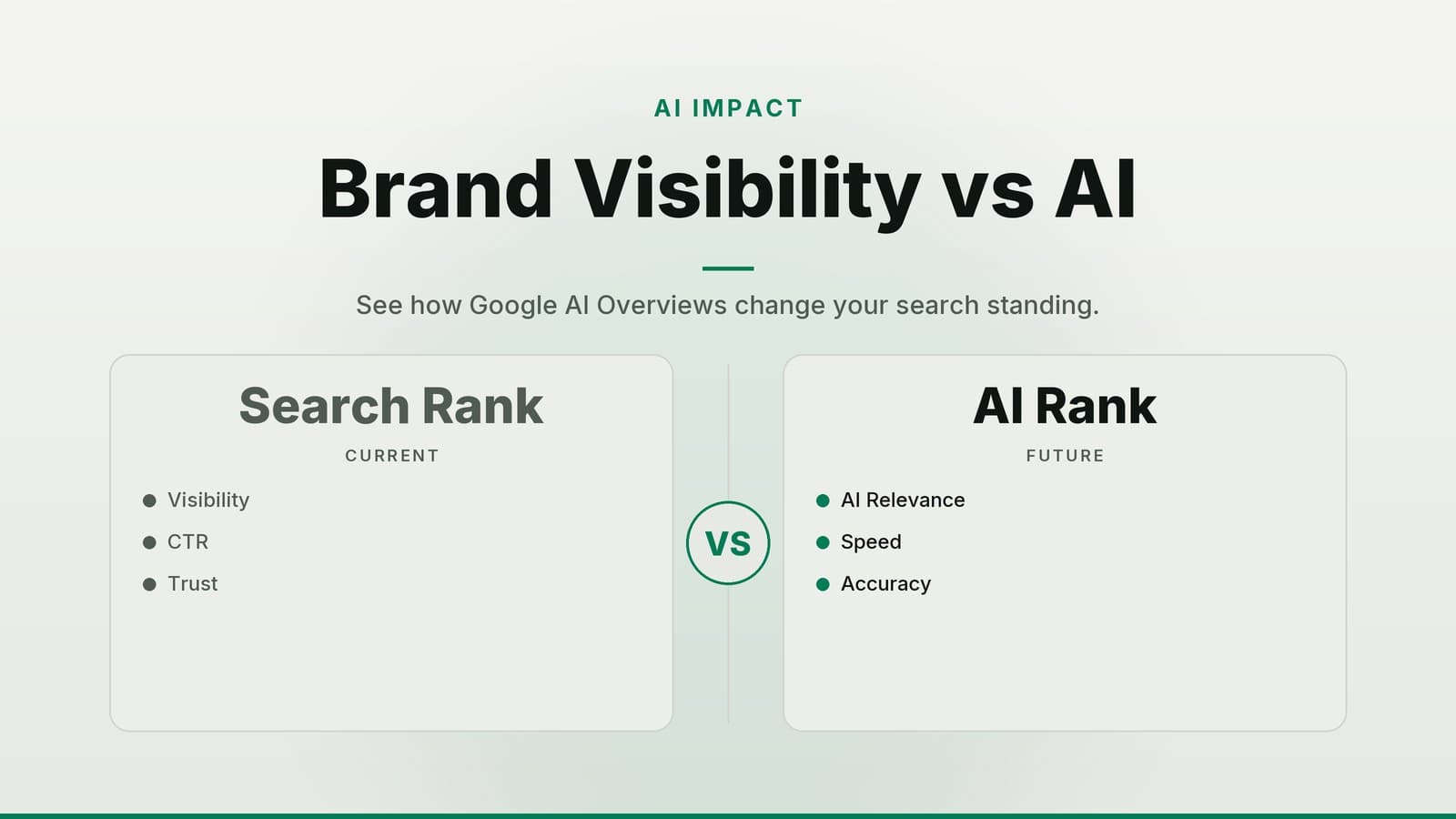
Google AI Overviews are compact, AI-generated summaries that appear at the top of search results. Unlike traditional organic listings, which list individual pages, an AI Overview synthesizes information from multiple sources into a single paragraph or card.
- Definition: A summary generated by Google’s large language model. It aggregates facts, history, and recent news about a brand or topic.
- Location: On desktop, it often sits above or beside the organic results. On mobile, it frequently appears as a full-width card at the very top of the page.
- Source Material: The model draws from publicly available content, including your website, news articles, Wikipedia, and other high-authority sources. Google does not publish a detailed algorithm for how it weights these sources, so the specific mix of data can vary.
- Cost: There is no fee to have an AI Overview. It is part of the standard Google Search experience.
- Volatility: The design and content of these cards are subject to change as Google updates its models. The layout, wording, and which sources are cited can shift without prior notice.
Tip: Treat the AI Overview as a dynamic, high-visibility snippet. It functions similarly to a featured snippet but with broader scope and less predictable control over the final output.
How Common Are AI Overviews?
The prevalence of AI Overviews has increased significantly since their initial rollout in 2023. While specific percentages fluctuate as Google adjusts its algorithms, industry monitoring indicates that these features are now a standard part of the search experience for many queries.
Early monitoring reports from late 2023 suggested that a substantial portion of branded searches for large enterprises triggered an AI Overview. For example, some studies tracked a rise in trigger rates for major global brands over a three-month period. However, it is important to note that these figures vary widely depending on the industry, the specific keywords tracked, and the geographic location of the search.
Key Takeaways for Business Owners:
- Not Guaranteed: Not every search term for your business will trigger an AI Overview. It is more common for high-volume, branded, or informational queries.
- Shifting Landscape: As Google refines its models, the frequency and appearance of these cards may change. What is true today may differ next quarter.
- No Single Benchmark: There is no universal "click-through rate" benchmark for AI Overviews yet. Impact varies by industry; some businesses see reduced clicks because the answer is provided in the card, while others see increased clicks because the card drives trust.
Rather than relying on static statistics, business owners should monitor their own search results to see how often the feature appears for their specific keywords.
Why It Matters for Your Business
The AI Overview changes how users interact with search results, presenting both opportunities and risks.
1. First-Impression Control
The AI Overview is often the first thing users see. If the summary is accurate and positive, it reinforces trust. If it contains outdated information or errors, it can deter potential customers before they even visit your website. Because the model synthesizes data from various sources, a single incorrect fact on a third-party site can influence the overview.
2. Impact on Click-Through Rates
Because the card provides a concise answer, it may satisfy the user’s query without them needing to click through to your site. This can reduce overall traffic to your website. However, for local businesses or complex services, the overview may act as a trust signal that increases the likelihood of a click, as users feel more confident in the brand’s legitimacy.
3. Link Destination
Google typically links the AI Overview to a single URL. This might be your homepage, a specific product page, or even a third-party news article. If the link points to a competitor or an outdated page, you miss the opportunity to guide users to your desired landing page.
4. Accuracy and Misinformation
Large language models can "hallucinate," generating plausible but incorrect information. For businesses, this is a significant risk. An AI Overview might list a service you no longer offer, cite an old phone number, or misrepresent your company history. Correcting these errors is more difficult than fixing a meta description on your own site because you do not have direct control over the model’s output.
Related reading: If you’re worried about the accuracy of AI-generated content, see our guide on How Google’s New AI Fact‑Check Rule Affects Your Site.
Practical Steps to Manage Your AI Overview
Since you cannot directly edit the AI Overview, your strategy must focus on managing the source data that feeds into it.
Step 1: Audit Your Current Presence
Search for your brand name and key service terms on Google. Note whether an AI Overview appears. If it does:
- Screenshot the card for your records.
- Read the text carefully for factual errors.
- Check the URL the card links to. Is it your preferred landing page?
Step 2: Optimize Structured Data
Structured data (Schema Markup) helps Google understand the context of your website. Implementing Organization or Brand schema on your homepage is the most critical step.
- Include: Name, logo, contact information, social media profiles, and a concise description.
- Why it helps: This provides a clear, authoritative signal to the model about who you are and what you do.
Step 3: Refresh Meta Information
Ensure your <title> tags and <meta description> tags are current. If your business has changed its name, tagline, or core services, update these elements. The AI model often pulls from these metadata fields to construct its summary.
Step 4: Monitor Brand Mentions
The AI Overview draws from the broader web, not just your site. Set up alerts to monitor what is being said about your business elsewhere.
- Tools: Use free tools like Google Alerts or paid platforms like Ahrefs or SEMrush.
- Action: If a news article or review site contains incorrect information, contact the publisher to request a correction. This is often the only way to influence the AI’s perception of that specific fact.
Step 5: Report Errors to Google
If you find factual errors in the AI Overview, use the "Feedback" button located within the card.
- Expectations: Submitting feedback does not guarantee a fix, nor is it immediate. Google reviews these reports, but it may take weeks or months for changes to reflect. Treat this as a long-term strategy, not a quick fix.
Step 6: Establish a Review Cadence
Schedule a quarterly review of your AI Overview. Pay special attention after major business changes, such as opening a new location, launching a new product, or winning an award.
Tools for Monitoring
| Tool Type | Free Option | Paid Option (Examples) | Best For |
|---|---|---|---|
| Structured Data Testing | Google Rich Results Test | Screaming Frog SEO Spider | Verifying markup syntax |
| Brand Mention Alerts | Google Alerts | Mention, Brand24 | Real-time news monitoring |
| Keyword & Content Tracking | Google Search Console | Ahrefs, SEMrush | Deep dive into source visibility |
Examples from Different Business Types
Here is how different types of businesses might approach managing their AI Overviews.
Clinic
A dental practice noticed the AI Overview listed a service they had discontinued two years ago.
- Action: The practice updated their website’s
MedicalBusinessschema to reflect the current service list and updated their homepage meta description. - Outcome: They monitored the search results over the following weeks. While they cannot guarantee the model will update immediately, providing clear, current structured data increases the likelihood that the "correct" information is prioritized.
- Note: Always ensure medical information is accurate and compliant with local regulations. Do not rely on AI-generated summaries for patient advice.
Restaurant
A café owner noticed the AI Overview displayed outdated opening hours.
- Action: The owner updated the
LocalBusinessschema on their website to reflect the new hours and ensured the information matched their Google Business Profile. - Outcome: Consistency between the website, Google Business Profile, and other directories helps the AI model resolve conflicting data. The owner continues to check the overview monthly to ensure the hours remain accurate.
Retail Shop
A boutique clothing store wanted to ensure its "New Arrivals" were highlighted.
- Action: The store implemented
Productschema on its best-selling items and ensured the "New Arrivals" page was easily crawlable. - Outcome: The AI Overview began referencing the store’s recent collections. The store tracks which products are mentioned and adjusts its internal strategy to feature those items more prominently on their homepage.
Service Firm
A marketing agency updated its Organization schema to include recent awards and certifications.
- Action: They added properties for
awardandsloganto their schema markup. - Outcome: The AI Overview began highlighting the agency’s credentials. The agency noted that this added a layer of credibility for prospects searching for "digital marketing agency" in their area.
*If you’re curious about how AI can boost your own small business, check out our post on How Google AI Can Boost Your Small Business Growth.*
Cost and Resources
Managing your AI Overview does not require a massive budget, but it does require consistent effort.
| Resource | Typical Effort | Estimated Cost (if outsourced) | Free Alternative |
|---|---|---|---|
| Schema Implementation | 2–4 hours (one-time) | $100–$300 (freelance developer) | CMS Plugins (Yoast, Rank Math) |
| Brand Monitoring | 1–2 hours/month | $0–$150/month (tool subscriptions) | Google Alerts |
| SEO Maintenance | Ongoing | $300–$600/month (retainer) | DIY with free guides |
| Error Reporting | < 5 minutes per issue | $0 | Manual feedback submission |
Key Point: The primary cost is time. If you have a marketing team, they can likely handle schema updates and monitoring. If not, a one-time investment in a developer to set up structured data is often the highest-value action you can take.
How HeyGrowin can help
We can add the right schema markup to your website, set up automated alerts for brand mentions, and build a simple dashboard so you can see your AI Overview at a glance. Our ready‑made tools let you start improving your online visibility today – learn more at https://heygrow.in.
Frequently asked questions
Can I control what appears in the AI Overview?
You can influence the content by providing accurate structured data and keeping your website’s meta‑information up to date, but you cannot dictate every detail Google chooses to display.
Will an AI Overview replace my organic search listings?
No. The overview appears alongside your organic results; it does not replace them but can affect click‑through rates.
Do I need a technical team to manage this?
Not necessarily. Many CMS platforms offer plugins for schema markup, and basic monitoring can be done with free tools. For complex cases, a freelance developer or SEO consultant can help.