Website Builder vs Hosting: Which Is Right for Your Small Business?
A clear guide to choosing between a website builder and separate hosting for non‑technical business owners.
The Core Choice: Convenience vs. Control
When you decide to get your business online, you are choosing between two distinct approaches to building and maintaining a website.
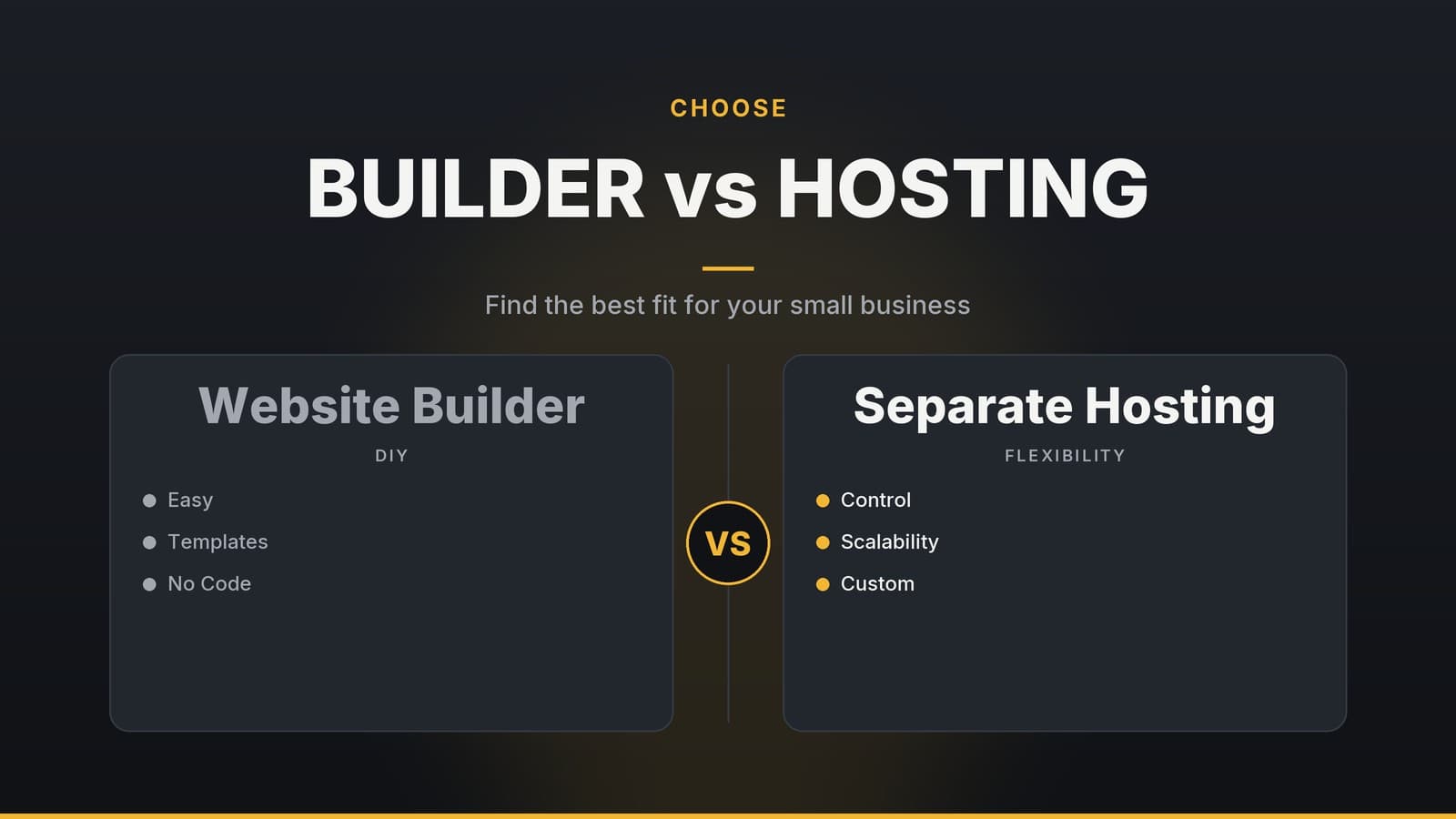
All‑in‑one website builders (e.g., Wix, Squarespace, Shopify) typically provide a unified environment where you can design, host, and manage your site within a single subscription. You log in, pick a template, and use a visual editor to add content.
Separate hosting combined with a Content Management System (CMS) means you rent server space from a provider (such as SiteGround or Bluehost) and install software like WordPress. This gives you more freedom over how the site works and looks, but you (or a hired developer) are responsible for the technical setup and ongoing upkeep.
For a non‑technical owner, the decision is really about where you want to spend your time and money. A builder offers convenience, handling most of the backend so you can focus on operations. A self‑hosted CMS offers flexibility, allowing deeper customization, but it shifts maintenance responsibilities to you or your developer.
Key Decision Factors
If you are not a developer, four factors will heavily influence your decision.
Ease of Use
Website builders are designed for non‑technical users. The drag‑and‑drop interface lets you move text boxes and images with a mouse, resulting in a low learning curve. A CMS like WordPress provides a dashboard that can look intimidating at first. You will need to learn how to create pages, manage menus, and install plugins. While manageable, it requires a dedicated block of time to become comfortable.
Initial and Ongoing Costs
With a builder, you pay a predictable monthly subscription that typically covers hosting, software, and basic security. Specific plan benefits, such as domain name inclusion, vary by provider and change over time; verify the current details on the vendor’s pricing page. With separate hosting, you pay for server space, a domain name (usually annually), a theme, and plugins. The initial outlay for self‑hosting can be lower, but costs can add up if you need multiple paid plugins for SEO, security, or bookings.
Maintenance and Security
Builders generally handle core software updates and may include backup features, but the specific automation levels and included tools vary by provider. You still need to be aware of platform‑wide outages, account compromises, and any third‑party add‑ons you install. With a self‑hosted CMS, you are responsible for keeping the core software, themes, and plugins up to date and for configuring your own backup routine. Neglecting updates can leave the site vulnerable, so the maintenance burden can become a significant, ongoing consideration for a non‑technical owner.
Scalability
Scalability means different things depending on your business model. If you are selling a high volume of products, dedicated e‑commerce platforms are often designed to support large catalogues and checkout processes. A CMS shines in functional scalability: if you need a custom membership site, a unique booking workflow, or integration with a legacy system that a builder does not support, the CMS provides extensive customization through plugins and code, though practical limits such as compatibility and performance may apply.
| Feature | Website Builder (All‑In‑One) | Separate Hosting + CMS |
|---|---|---|
| Learning Curve | Low; drag‑and‑drop editor | Medium to high; requires learning dashboard |
| Maintenance | Core updates usually handled by provider; check specific backup features | Manual updates, security patches, and backups |
| Customization | Limited to platform templates and built‑in features | Extensive via plugins and custom code, with practical limits |
| Cost Structure | Single monthly subscription | Hosting + domain + theme + plugins |
| Support | Platform‑level support (chat/phone) | Hosting‑level support or community forums |
Cost Comparison and Hidden Fees
Exact prices differ by provider, region, and plan tier. Check the vendor’s current pricing page for the most accurate figures, as promotional rates and plan structures change frequently.
Website Builders
Most builders charge a monthly fee per site. Plans are usually tiered: lower tiers suit simple brochure sites, while higher tiers add e‑commerce capabilities, reduced transaction fees, and advanced analytics. Specific inclusions, such as domain name registration, vary by plan and provider; confirm these details on the vendor’s site. Many builders also provide a free trial so you can test the platform before committing.
Separate Hosting
Hosting costs depend on the type of server you need. Basic shared hosting is the most affordable option and works for small business sites. As traffic grows, you may upgrade to managed WordPress hosting or a dedicated server, which costs more. In addition to hosting, you should budget for:
- Domain name – usually an annual fee.
- Premium theme – free themes exist, but premium themes often offer better design options and support.
- Plugins – essential tools such as SEO, security, and booking systems often have annual licenses.
Transaction Fees and Migration Considerations
If you sell online, check the platform’s pricing or fee schedule to understand any transaction charges. With a self‑hosted CMS, you select your own payment gateway, meaning you are subject to that provider’s specific fee structure rather than a platform-level fee.
Migration complexity depends on the platform’s data export capabilities. Some builders may limit how easily you can export content or move it to another system, so it is wise to check the vendor’s migration policies before committing. A CMS typically stores data in standard formats, which can facilitate moving to a new host, though you may still need to handle the technical steps.
For a detailed breakdown of how to estimate these costs for your specific project, see our guide on How to Cost a Small Business Website Project. It walks you through the line items you shouldn’t overlook.
Real‑World Scenarios and Pitfalls
Choosing the right tool depends on your specific business type and risk tolerance.
When a Website Builder Makes Sense
A builder is the right choice if you value speed and simplicity. Consider this option if:
- You need a quick launch. A builder can get a site live in a few days.
- Your business is primarily a storefront or service site. Restaurants, clinics, and photography studios often need a professional‑looking site with a menu, gallery, or contact form. Builders excel at these layouts.
- You have a modest budget for ongoing management. If you cannot afford a developer for monthly maintenance, the built‑in maintenance features of a builder can keep costs down.
Pitfall: Template limitations. Builders’ templates may not support highly specific design or workflow requirements, so you might need to compromise on branding or functionality.
When a Self‑Hosted CMS Is Worth the Effort
A CMS is preferable when you anticipate needing custom features or want full control over data and hosting. It fits well for:
- Complex booking or membership systems. A clinic that requires patient portals or a gym that offers tiered memberships may need the flexibility of a CMS.
- Integration with niche tools. If you rely on a specific accounting package, CRM, or legacy software, a CMS often provides plugins or the ability to develop custom integrations.
- Long‑term scalability. As your site grows, you can upgrade hosting, add new plugins, or modify code without being locked into a builder’s ecosystem.
Pitfall: Ongoing maintenance. You’ll need to allocate time (or budget for a developer) to handle updates, security patches, and backups, which can become a hidden cost if not planned for.
Frequently asked questions
Can I switch from a website builder to self‑hosted later?
Yes, but you’ll need to rebuild the site on the new platform and migrate content, which can require technical help.
Do website builders handle security updates automatically?
Most builders include SSL certificates and automatic platform updates, so you don’t have to manage security patches yourself.
Is SEO better on a self‑hosted site?
Self‑hosted sites can use advanced SEO plugins, but good SEO is also possible on most reputable builders if you follow best practices.