AI vs Human Receptionist: A Practical Guide for Australian SMBs
Compare costs, capabilities, and customer experience to decide if an AI receptionist fits your Australian business model.
The Core Difference: Availability vs. Empathy
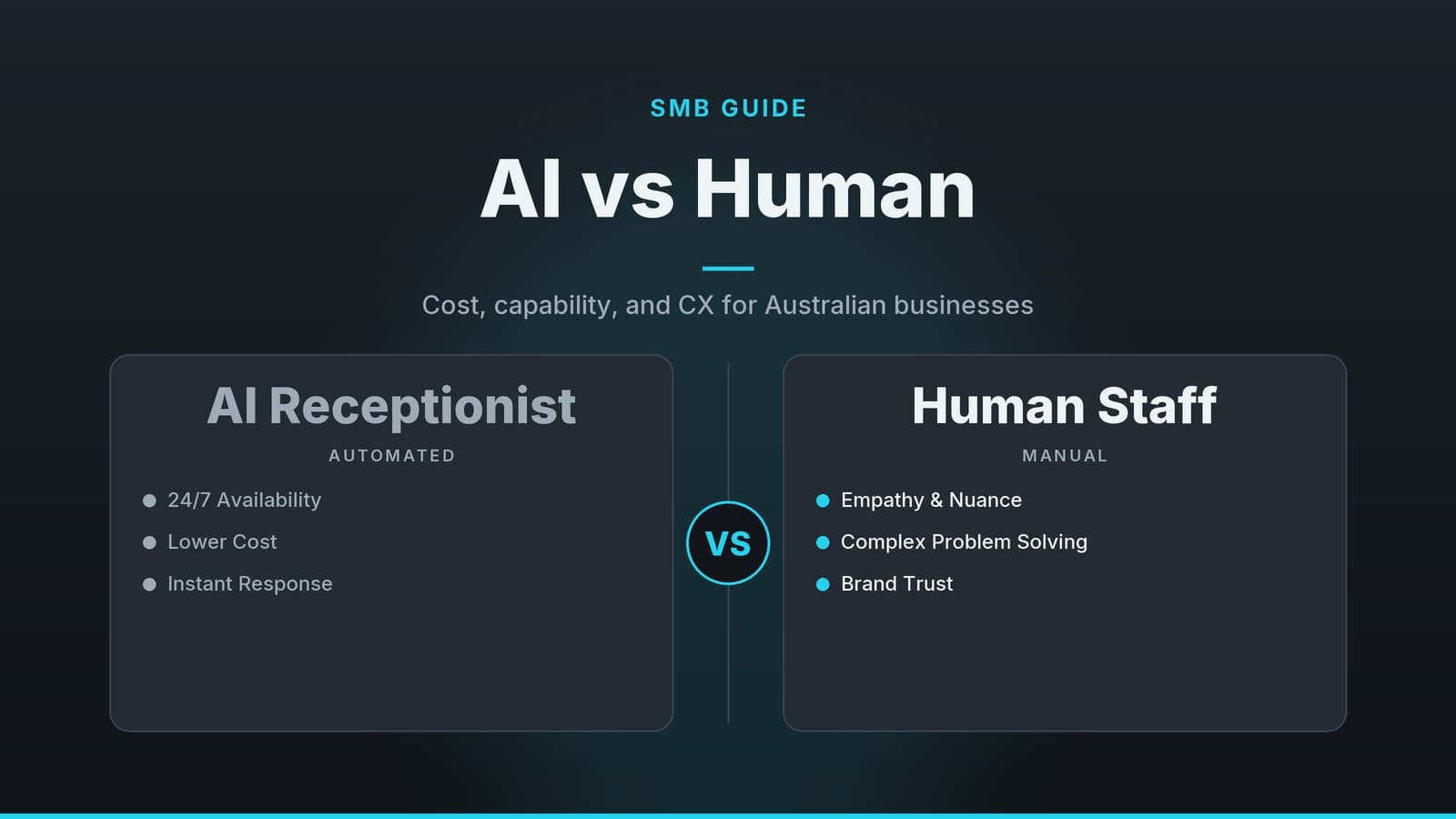
For many small and medium businesses, the decision between an AI receptionist and a human one is not about replacing staff, but about managing capacity. Human staff provide judgment and empathy, while AI provides consistent availability. Understanding where each excels helps you allocate your budget and staff time effectively.
| Capability | AI Receptionist | Human Receptionist |
|---|---|---|
| Availability | 24/7 coverage without shift planning or overtime costs. | Limited to scheduled hours; gaps require extra staff or call-forwarding rules. |
| Response Speed | Immediate for scripted queries. | May take a moment to look up info, but can adapt quickly to nuance. |
| Volume Handling | Handles multiple concurrent calls; no "busy signal" during spikes. | Handles one call at a time; high volume leads to missed calls or long waits. |
| Emotional Intelligence | Simulates politeness but lacks genuine empathy or intuition. | Reads tone, de-escalates frustration, and builds personal rapport. |
| Problem Solving | Limited to pre-programmed logic paths; struggles with ambiguity. | Interprets context, asks clarifying questions, and makes judgment calls. |
The practical approach is often hybrid: use AI to handle repetitive, low-risk inquiries (hours, location, simple bookings) and reserve human time for complex conversations, complaints, or high-value sales. This ensures no call is missed while keeping human interaction for moments that require trust and nuance.
Cost Considerations: A Practical Comparison
Comparing costs requires looking beyond the headline subscription fee. A full-time human receptionist involves significant ongoing overhead, while an AI solution involves fixed subscription costs plus implementation effort.
Human Receptionist Cost Structure
When budgeting for a full-time employee, you must account for more than just the paycheck.
- Total Employment Cost: This includes the base salary, superannuation, and payroll tax. Superannuation Guarantee rates change periodically; check the current legislated rate on the Australian Taxation Office website for the most up-to-date percentage. Payroll tax thresholds vary by state, so calculate based on your location.
- Leave Entitlements: You pay for annual leave, personal/carer’s leave, and potentially long service leave. Even when the employee is off, the cost remains.
- Equipment and Space: Desk, chair, computer, phone line, and a portion of rent and utilities.
- Training and Onboarding: Time spent by managers to teach systems, compliance, and scripts. This is a hidden cost that can take weeks to reach full productivity.
AI Receptionist Cost Structure
AI costs are generally more predictable but require upfront technical setup.
- Subscription Fees: Most vendors charge per month, often based on the number of phone lines or concurrent calls. Prices vary significantly by feature set and call volume. Check the vendor’s current pricing page for exact figures, as these change frequently.
- Setup and Integration: One-off fees for configuration, connecting to your CRM or booking software, and initial script development. Some vendors include this; others charge consulting fees.
- Ongoing Maintenance: Time spent by your staff to update scripts, review call logs, and fix errors. This is an internal labor cost, not a direct vendor fee.
- Integration Add-ons: If your booking system or CRM is not natively supported, you may need a middleware connector, which can incur extra costs.
Estimating Your Total Cost of Ownership (TCO)
To make a fair comparison, calculate the 12-month cost for both options.
- For Humans: Add the annual salary, superannuation, payroll tax, and the estimated value of leave days. Add the pro-rated cost of the desk/computer and the hours your manager spends on training.
- For AI: Multiply the monthly subscription by 12. Add any one-off setup fees. Crucially, add the estimated hours your staff will spend maintaining the system (e.g., 2 hours a week reviewing logs) multiplied by their hourly rate.
- The "Missed Call" Factor: Estimate the value of a lost customer or appointment. If a human receptionist misses 10 calls a month due to volume, and each represents a $200 service, that’s $2,400 in potential lost revenue annually. AI reduces this risk for routine queries.
Note: There is no single "best" ROI model. A pure human model may be cheaper for very low call volumes, while AI may be cheaper for high-volume, repetitive queries. The hybrid model often balances these, but you must do the math for your specific call volume.
When an AI Receptionist Makes Sense
AI is most effective when the conversation is predictable, high-volume, or occurs outside business hours.
Business Types That Benefit Most
| Business Type | Why AI Fits |
|---|---|
| Service Trades (Plumbing, Electrical) | High volume of after-hours emergency calls. AI can capture details, assess urgency, and dispatch or schedule a callback. |
| Healthcare (Clinics, Dental) | Routine queries (hours, directions, simple rescheduling) can be automated. Note: Clinical triage should always involve human oversight. |
| Hospitality (Cafés, Restaurants) | Peak-hour call surges. AI can confirm opening times, take simple reservations, or direct callers to online ordering, preventing missed bookings. |
| Retail and E-commerce | Repetitive questions about stock, returns, or store hours. AI provides consistent answers 24/7. |
| Professional Services (Legal, Accounting) | Initial intake and appointment scheduling. AI handles the logistics, freeing up staff for client consultations. |
Key Advantages
- Consistency: AI delivers the exact same information every time. If you update your opening hours, the AI updates instantly. Human staff may forget to update their mental model, leading to inconsistent answers.
- Overflow Handling: During peak times, AI can answer all incoming calls simultaneously. This eliminates the "busy signal" and ensures no lead is lost due to capacity constraints.
- Data Capture: AI can log every call, transcribe the conversation, and tag the intent (e.g., "New Customer," "Complaint"). This data helps you identify trends and improve services.
Real-World Snapshot: The Dental Clinic
Consider a dental practice that receives calls after 6 pm. Instead of routing these to an on-call doctor’s mobile (which may be missed or inconvenient), they use an AI receptionist.
- Routine Queries: Callers asking about hours or directions get an immediate answer.
- Simple Rescheduling: If a patient needs to move a routine appointment, the AI checks the dentist’s calendar and offers available slots.
- Emergency Triage: If a caller reports severe pain, the AI flags the call as "Urgent" and forwards it to the on-call clinician with a summary of the symptoms.
This setup ensures that routine administrative tasks do not consume clinical time, while urgent cases are prioritized. Note: The specific impact on call volume varies by practice; you should track your own metrics to determine the benefit.
When a Human Receptionist Is Essential
AI is a tool, not a replacement for human judgment. There are scenarios where a human is irreplaceable.
Situations Requiring Human Intervention
| Situation | Why a Human is Needed |
|---|---|
| Angry or Distressed Callers | Humans can read emotional cues, show genuine empathy, and de-escalate tension. AI can sound robotic or dismissive in these moments. |
| Complex Problem Solving | If a customer has a unique issue that doesn’t fit a script, a human can think creatively, cross-reference systems, and negotiate a solution. |
| High-Value Sales | For high-ticket items or services, trust is built through personal connection. A human can tailor the pitch, answer nuanced questions, and close the sale. |
| Compliance and Privacy | Handling sensitive data (health, financial, legal) often requires human verification of identity and consent to meet privacy obligations. |
Local Context and Tone
Customer expectations vary by industry and demographic. In some contexts, a formal, precise tone is preferred; in others, a friendly, conversational style builds loyalty. AI voices can be tuned, but they lack the subtle social cues that humans naturally use. For businesses where personal rapport is a key differentiator, keeping a human on the front line for first-time or high-value interactions is often wise.
Compliance and Privacy
If your business handles sensitive data, ensure your AI solution complies with Australian Privacy Principles. This includes data encryption, secure storage, and clear consent mechanisms. A human gatekeeper may be necessary to verify identity before sensitive information is shared. For more on balancing AI with privacy, see our article on Unscary AI: A Safer Chatbot for Privacy-Conscious Users.
Real-World Snapshot: The Real Estate Agency
A real estate agency uses AI to answer initial queries about property availability and schedule viewings. However, when a buyer calls to discuss price negotiation or make an offer, the call is routed to a human agent. The agent can explain market trends, answer detailed questions, and negotiate terms. The AI handles the logistics; the human handles the relationship.
Implementation and Hybrid Models
Designing a Hybrid Workflow
A successful implementation usually involves a tiered approach:
- First-Line AI: Answers the call, provides basic info, and attempts to resolve simple tasks (booking, FAQs).
- Decision Node: If the AI detects keywords like "complaint," "cancel," "speak to a manager," or if the caller expresses frustration, it triggers a transfer.
- Human Takeover: The human receptionist receives the call with a brief transcript and context, allowing them to pick up where the AI left off without the caller repeating themselves.
Step-by-Step Rollout
| Step | Action | Key Considerations |
|---|---|---|
| 1. Define Scope | List the exact tasks the AI should handle. | Start small. Focus on high-volume, low-risk queries. Expand later. |
| 2. Choose a Vendor | Evaluate providers for reliability, security, and integration. | Look for vendors with strong security certifications (e.g., ISO 27001), clear SLAs, and proven integrations with your existing software. Check if they support Australian phone numbers and local voice options. |
| 3. Gather Content | Write scripts for each query. | Include variations of how customers might phrase questions. Test with staff to catch awkward phrasing. |
| 4. Train the AI | Upload scripts and FAQs. | Some platforms allow you to train on sample call recordings. Expect a period of iteration; monitor accuracy daily. |
| 5. Pilot Test | Run the AI on a single line or during off-peak hours. | Record mis-routes and adjust scripts. Have a human on standby to handle overflow. |
| 6. Go Live | Switch the primary line to AI. | Keep a clear "press 0 for a human" option. Review call logs weekly for the first month. |
| 7. Ongoing Maintenance | Schedule regular reviews. | Allocate time for a staff member to update scripts, review missed calls, and refine the system. |
Escalation Paths
Clear escalation paths are critical to avoid frustrating customers.
- Voice Prompt: "If you would like to speak to a person, press 0 now."
- Backup Contact: Provide a text message with an alternative email or chat link if the call cannot be resolved.
- Fail-Safe Monitoring: Set up alerts if the AI fails to resolve a call within a set time (e.g., 30 seconds), automatically routing to a human.
Pricing Sanity Check
AI subscription fees vary widely. Always check the vendor’s current pricing page before committing. Look for:
- Pricing Model: Is it per phone line, per user, or per call minute?
- Add-ons: Are premium voice models, custom integrations, or advanced analytics extra?
- Limits: Are there caps on monthly interactions before overage fees apply?
Compare the total cost of ownership (subscription + setup + internal maintenance time) against the cost of a human receptionist to make an informed decision.
How HeyGrowin can help
HeyGrowin builds custom AI receptionists tailored to your business needs. We focus on practical, reliable solutions designed to connect with your existing booking and CRM systems. Our AI can handle routine inquiries, capture lead data, and hand off to a live receptionist when a human touch is needed. We help you define the scope, write the scripts, and set up the escalation paths to ensure a smooth transition. Learn more at heygrow.in.
Frequently asked questions
Can an AI receptionist handle emergency calls?
AI can handle initial triage and provide basic information, but it should not replace human judgment in critical emergencies. Always have a clear protocol for escalating urgent calls to a human or emergency service.
Is it legal to use AI for customer service in Australia?
Yes, but you must comply with privacy laws like the Privacy Act 1988. You must inform customers they are interacting with an AI and handle their personal data securely. Check with a legal professional for specific advice.
How long does it take to set up an AI receptionist?
Setup time varies by provider and complexity. Simple setups may take a few days, while complex integrations with existing CRM or booking systems can take weeks. Always ask vendors for a realistic timeline.