How to Automate Salon Appointment Scheduling: A Practical Guide
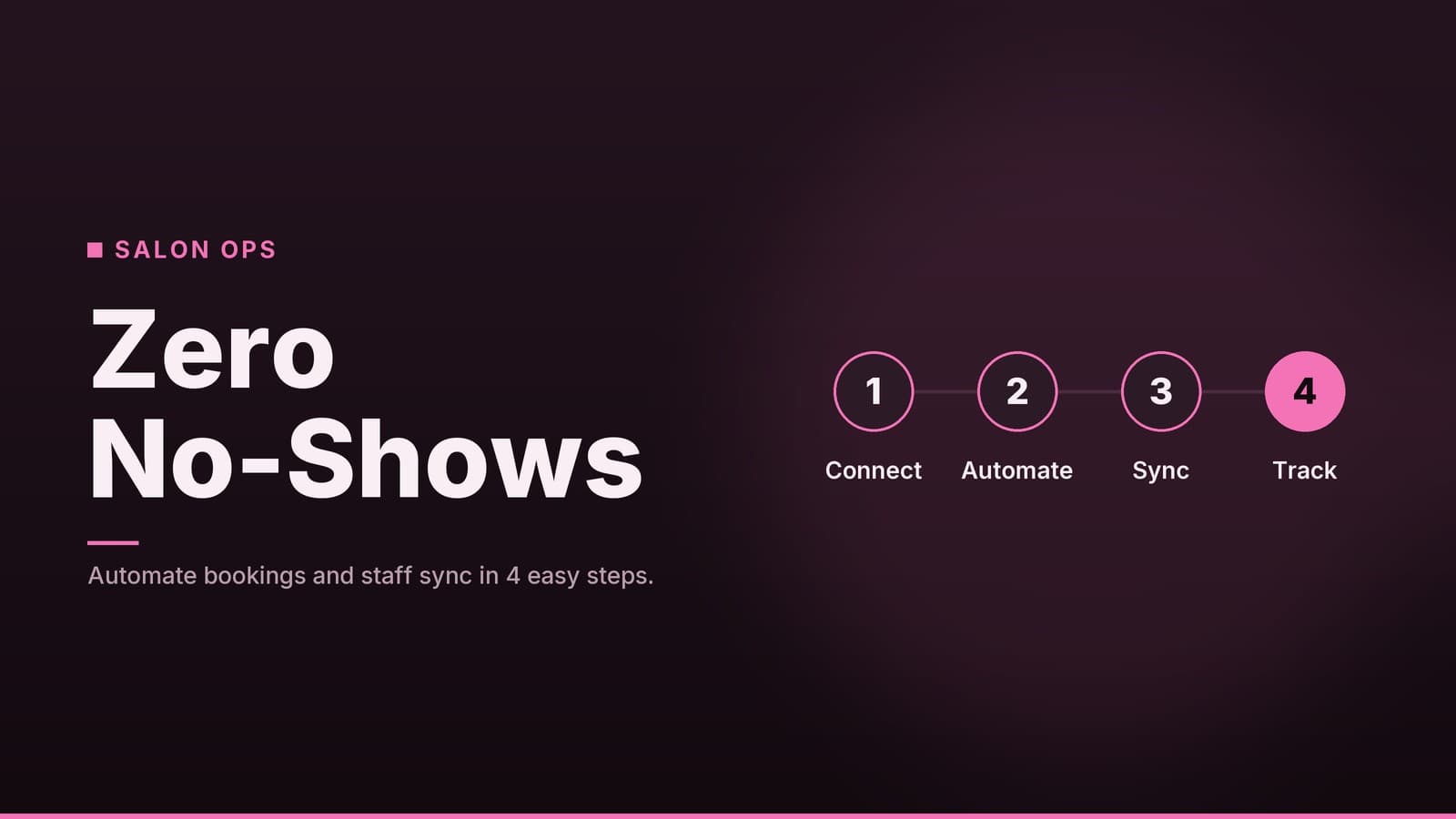
Learn how to set up automated booking for your salon, reduce no-shows, and manage staff schedules without hiring extra admin staff.
Why Manual Scheduling Fails Salons
For many small salons, the front desk is the bottleneck. When booking is handled manually via phone calls and spreadsheets, several specific problems arise that directly impact revenue and staff morale.
The Cost of Missed Calls and Errors During peak hours, a receptionist cannot juggle a ringing phone, a walk-in client, and a calendar update simultaneously. Missed calls mean lost bookings. More critically, manual entry leads to double-booking. When a stylist is scheduled for two clients at the same time, the salon must apologize, reschedule, or cancel. This not only loses the immediate service fee but often damages the relationship with the client who was kept waiting. While exact financial losses vary by business size and price point, the cumulative effect of even a few errors per week is significant.
Administrative Drift Time spent on the phone is time not spent on high-value tasks. If staff spend three to four hours a week just managing bookings and confirming appointments, that is a substantial portion of their paid time diverted from styling or customer service. This "administrative drift" makes it harder to keep up with marketing, inventory, or client consultations.
The No-Show Gap Without automated reminders, clients may simply forget their appointments. A no-show in a prime time slot (like 4:00 PM on a Friday) leaves a chair empty for the duration of the service. If the salon does not have a waitlist system to fill that gap immediately, that time is lost revenue. While industry-wide statistics on no-show rates vary significantly by region and service type, the operational impact is universal: an empty chair is a wasted hour.
Modern Expectations Clients increasingly expect to book at 10 PM from their phone. A phone-only system closes your business to these bookings until opening hours. Competitors with 24/7 online booking capture this demand. If a client has to wait until 9 AM to book a slot for next week, they may simply choose a salon where they can book instantly.
Choosing the Right Scheduling Software
When selecting a tool, avoid generic feature lists. Instead, look for specific capabilities that solve the problems mentioned above. Below is a comparison of what to look for in different tiers of software. Note that specific vendors (such as Square Appointments, Fresha, Vagaro, or Zenoti) structure their plans differently. Always check the vendor’s current pricing page for exact costs, as rates change frequently and vary by region.
| Feature | Basic Tier | Pro/Advanced Tier | Enterprise/Complex Tier |
|---|---|---|---|
| Online Booking | Standard widget | Custom branded page | Multi-location management |
| Reminders | Email only | SMS + Email | SMS + Email + Push Notifications |
| Staff Management | Simple on/off days | Breaks, shifts, holidays | Complex shift swapping & payroll sync |
| Payments | Manual entry | Integrated POS/Online Pay | Automated refunds & split payments |
| Reporting | Basic counts | No-show rates, revenue per stylist | Advanced analytics & forecasting |
| Integrations | None/Basic | Loyalty & Email Marketing | Custom API & CRM sync |
Key Features to Prioritize
1. Automated Reminders (SMS & Email) SMS messages have higher open rates than email. Look for software that allows you to send a reminder 48 hours before and another 2 hours before the appointment. This is the single most effective tool for reducing no-shows. Ensure the system allows clients to reply "YES" to confirm or "NO" to cancel, which updates the calendar automatically.
2. Buffer Times This is often misunderstood. A buffer is the dead time added after a service to allow for cleanup, consultation, or walking the client to the next station. If a haircut takes 30 minutes, you should set the service duration to 35 minutes in the software. This prevents the system from booking the next client at exactly 30 minutes, which would force the stylist to rush. Most software allows you to set this per service type.
3. Payment Integration Linking your booking system to your POS (Point of Sale) or online payment gateway allows clients to pay a deposit or full amount at the time of booking. This creates a financial commitment that reduces last-minute cancellations. For high-value services like color, a non-refundable deposit is standard practice in many markets.
4. Real-Time Staff Availability The system must reflect who is actually working. If a stylist leaves early for a personal appointment, the system should automatically block their calendar so clients cannot book them. Look for a feature that allows staff to mark themselves "unavailable" via a mobile app.
5. API Access (For Complex Workflows) "API access" sounds technical, but for a salon, it means the ability to connect your booking tool to other software you already use. For example, if you use a specific loyalty card system or an email marketing platform, API access allows the booking tool to automatically update client data or trigger a "welcome back" email. If you only use one tool, you likely do not need this. If you use several, it saves manual data entry.
Tip: Most scheduling tools charge per user (stylist) or per location per month. Some offer free trials. Before committing, ask for a demo that specifically shows how the software handles your specific service list and staff rotation.
Setting Up Your Booking Workflow
Once you have chosen a tool, the setup is where most salons make mistakes. Follow this checklist to ensure the system works for you, not against you.
1. Define Services and Buffers Accurately
Do not just list "Haircut." Break services down by complexity.
| Service | Duration | Buffer | Total Block | Staff Requirement |
|---|---|---|---|---|
| Standard Haircut | 30 min | 5 min | 35 min | Any Stylist |
| Color & Cut | 90 min | 10 min | 100 min | Color Specialist |
| Facial | 45 min | 5 min | 50 min | Esthetician |
- Why this matters: If you set a color appointment to 90 minutes without a buffer, the next client is booked for the moment the previous one leaves. This causes stress and rushing. The 10-minute buffer allows for cap removal, rinsing, and a quick chat before the next client arrives.
- Action: Log into the admin panel. Create each service with the total block time (duration + buffer). Assign specific staff members who are qualified for that service (e.g., only senior stylists for complex color).
2. Configure Staff Availability
- Set Recurring Hours: Input each stylist’s standard work week.
- Mark Breaks: Ensure lunch breaks are blocked so clients cannot book during this time.
- Handle Days Off: Use the "unavailable" feature for holidays or personal days.
- Mobile App Setup: Ensure each stylist has the mobile app installed and knows how to toggle their availability if they need to leave early or take a short break.
3. Set Up Reminders
- 48-Hour SMS: "Hi [Name], reminder that you have a [Service] with [Stylist] on [Date] at [Time]. Reply YES to confirm or NO to cancel."
- 2-Hour Email: "See you soon! Your appointment is in 2 hours. Please arrive 10 minutes early for a consultation."
- Action: Test these messages on your own phone. Ensure the link to cancel/reschedule works.
4. Test the System (Safely)
Do not wait for a real client to find a bug. Use the software’s "test mode" or "sandbox" environment if available. If not, book an appointment for a future date with your own phone number.
| Test Step | How to Verify |
|---|---|
| Book a Slot | Log in as a client. Book a service. Does the slot disappear from the public calendar? |
| Check Reminders | Use the software’s "send test message" feature to see the SMS/Email format. Do not wait 48 hours. |
| Cancel | Cancel the test appointment. Does the slot reappear on the public calendar immediately? |
| Waitlist | If you have a waitlist, add a test contact. Cancel the appointment again. Does the test contact receive a notification? |
| Staff View | Log in as a staff member. Can you see the appointment? Can you mark it as "completed"? |
If any step fails, contact support before going live.
Managing No-Shows and Staff Efficiency
Software is only as good as the policies you enforce. Here is how to use your new tools to protect revenue and balance workload.
1. Deposit and Cancellation Policies
Important Legal Note: Consumer protection laws vary by country, state, and city. In some jurisdictions, retaining a deposit for a service that was not rendered may be illegal unless specific conditions are met. Consult a local business lawyer or your Chamber of Commerce to ensure your deposit and no-show fee policies comply with local laws.
- Standard Practice: Many salons require a small deposit for services over a certain value (e.g., $100+).
- No-Show Fees: Some salons charge a fee if a client no-shows without cancellation notice. This is often automated by the software: if the client does not check in or cancel, the card on file is charged a predetermined amount.
- Transparency: Clearly state these policies on the booking page. Hide nothing. A clear policy reduces friction.
2. Using Data to Balance Workload
After one month of using the software, review the reports.
- Identify Bottlenecks: Is one stylist always fully booked while others have gaps? If so, consider adjusting their service mix or offering a discount to steer clients to underbooked staff.
- Spot Peak Times: If Tuesday afternoons are always empty, consider offering a "mid-week special" or encouraging staff to schedule their breaks then.
- No-Show Patterns: If a specific service has a high no-show rate, consider requiring a deposit for that specific service type.
3. Managing Peak Times
- Buffer Strategy: During rush hours (e.g., Friday 4–6 PM), consider adding a slightly larger buffer between appointments to prevent rushing. For example, if you usually add 5 minutes, add 10 during peak times. This ensures stylists are not stressed, which improves client satisfaction.
- Dynamic Pricing (Advanced): Some software allows you to offer discounts for off-peak times. For example, a 10% discount for appointments between 1:00 PM and 3:00 PM can help fill dead zones.
4. Staff Adoption
The best software fails if staff do not use it.
- Training: Hold a 15-minute session. Show them how to view their schedule on the mobile app, how to accept a reschedule, and how to mark a client as "checked in."
- Simplify: Create a one-page cheat sheet with the five most common actions (View Schedule, Check In, Reschedule, Mark Complete, View Availability).
- Incentivize: Remind staff that the software saves them time. If they stop answering phones, they can spend more time on high-margin services or simply have less stress.
How HeyGrowin Can Help
Many salon owners struggle to find a single tool that handles booking, payments, and customer communication seamlessly. HeyGrowin partners with small businesses to implement digital workflows that fit their existing operations. We can help you:
- Integrate booking capabilities into your existing web presence.
- Configure automated SMS and email reminder sequences.
- Link your scheduling system with your payment processing tools.
- Provide guidance on setup and staff onboarding.
If you are ready to move beyond manual scheduling, visit the HeyGrowin website to discuss how a tailored solution might work for your specific workflow.
Frequently asked questions
Do I need to replace my current POS system?
Not necessarily. Many scheduling tools integrate with popular POS systems. Check if your current POS has an API or if the scheduling tool offers a direct integration before deciding to switch.
How do I handle staff who are not comfortable with new software?
Start with a simple setup and provide hands-on training. Focus on the benefits, such as fewer phone calls and easier schedule management. Most tools have user-friendly interfaces designed for non-technical users.
Can clients book specific staff members?
Yes, most salon scheduling software allows clients to select their preferred stylist or technician during the booking process. This is a key feature for client retention.