Automate Appointment Booking with AI Chatbots for Small Business
Learn how AI chatbots can streamline appointment scheduling, reduce no‑shows, and free up staff time.
Why Automate Appointment Booking?
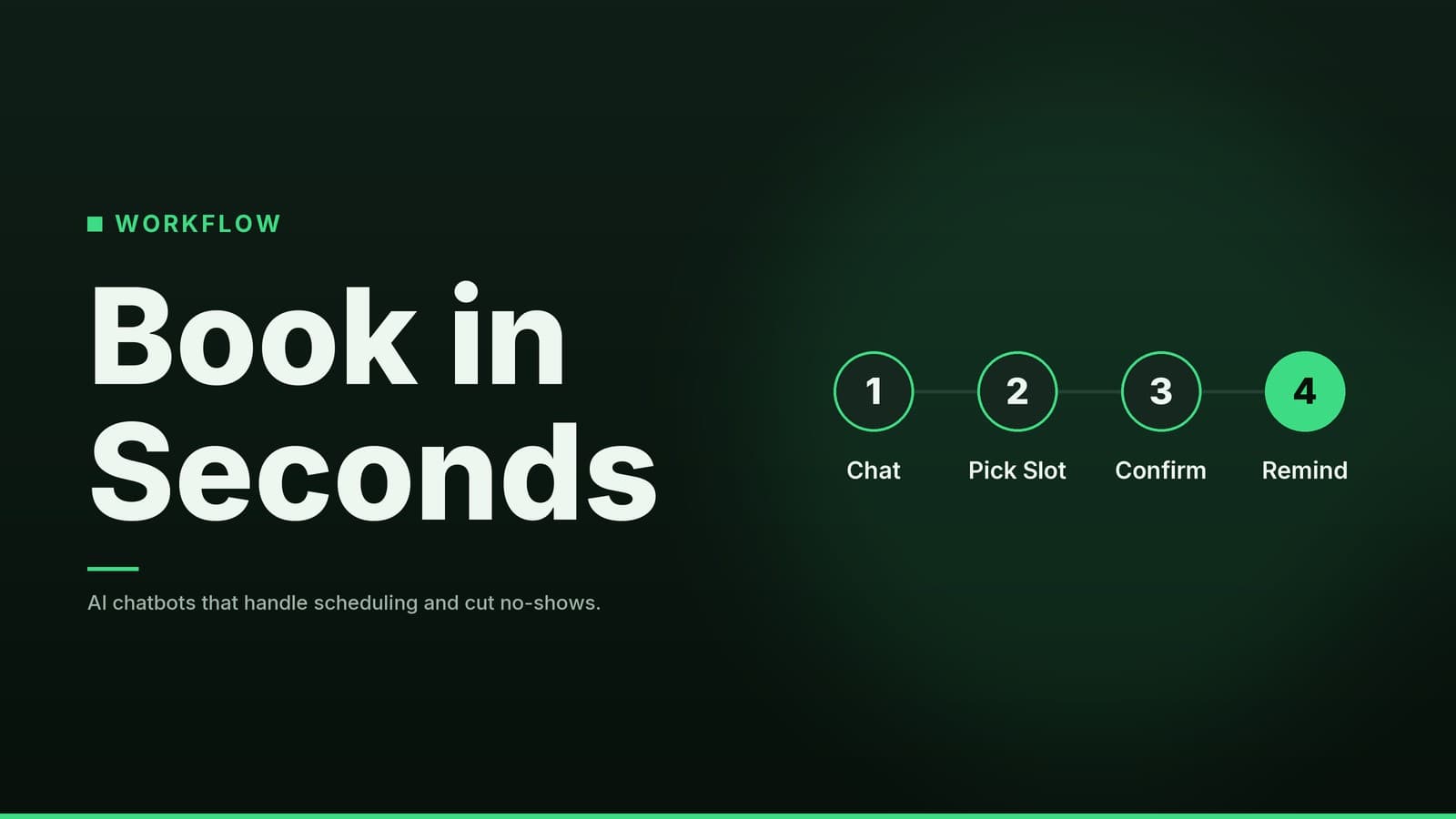
For small and medium businesses, the front desk or phone line is often the first point of friction. Customers want to book quickly, and staff want to focus on service rather than repetitive scheduling questions. An AI chatbot can handle the initial interaction—asking what service is needed, which day works best, and confirming the time—allowing your team to step in only if a human touch is required.
The primary benefits for a non-technical business owner are:
- Reduced administrative load: The bot handles the routine "when are you free?" inquiries. This is particularly useful for businesses with high-volume, short-duration bookings like hair salons, dental clinics, or car washes.
- Lower no-show rates: Most platforms allow you to send automated reminders via email or SMS 24 hours before an appointment. A restaurant, for example, can reduce empty tables by nudging guests who might have forgotten their reservation.
- Extended availability: Customers can book outside of business hours. A law firm or a private clinic that closes at 5:00 PM can still capture bookings from clients who research services in the evening.
These improvements lead to a more predictable schedule and a smoother customer experience. Note that while automation saves time, it does not replace the need for human interaction in complex or sensitive situations.
Choosing the Right AI Chatbot Platform
When selecting a platform, prioritize ease of use over advanced coding features. Look for a drag-and-drop builder that allows you to create conversation flows using visual blocks. Most small-business-focused tools include pre-built "appointment booking" templates, so you start with a working structure rather than a blank page.
Below is a comparison of key features to evaluate. Specific prices and plan limits vary by vendor and change frequently, so always confirm current details on the provider’s pricing page.
| Feature to Check | Why It Matters | What to Look For |
|---|---|---|
| Scheduling Integration | Ensures the bot connects to your existing calendar system so bookings appear in your schedule. | Check which calendar platforms the tool supports natively. If your specific calendar isn't listed, ask if it supports common automation connectors or API access. |
| Pricing Model | Determines how costs scale as you add staff or multiple bots. | Per-bot: Flat fee per chatbot. Per-user: Fee per staff member who edits the bot. Per-conversation: Fee based on the number of customer interactions. |
| Channel Support | Where the bot lives. Do you need it on your website, Facebook, or WhatsApp? | Check if the platform supports "Web Widget," "Messenger," and "WhatsApp Business API" simultaneously. |
| Reminder Delivery | Reminders are critical for reducing no-shows. | Check the vendor's pricing page to see if SMS reminders are included in the base plan or if they require separate credits or an add-on. |
| Data Privacy & Compliance | Essential if you handle health, financial, or sensitive personal data. | Review the vendor's privacy policy and data handling practices. Confirm if they meet the regulatory requirements specific to your industry and location. |
Popular platforms in this space include Tidio, ChatBot.com, ManyChat, and Landbot. Each has different strengths:
- Tidio: A common choice for businesses focusing on website chat.
- ManyChat: Frequently used for social media-focused businesses.
- Landbot: Offers a highly visual, logical builder that may appeal to those who want more control over conversation logic.
- ChatBot.com: A long-standing option with a wide range of integrations.
Compare these tools against your specific needs (e.g., do you need WhatsApp? Do you have specific regulatory requirements?) rather than just looking at the feature list.
Step-by-Step Setup Guide
This checklist works for most service-based businesses, from medical clinics to plumbing firms. Adjust the wording to match your brand’s voice.
1. Account Creation and Template Selection
Sign up on your chosen platform. Most require only an email and password. In the dashboard, select a "Booking" or "Appointment" template. This usually includes basic blocks: greeting, service selection, date/time picker, and confirmation.
2. Calendar Integration and Availability
Connect your business calendar (Google, Outlook, or iCal) using the platform’s integration wizard.
- Define Working Hours: Set specific days and times (e.g., Mon–Fri 9:00 AM–5:00 PM for a clinic; Tue–Sun 11:00 AM–10:00 PM for a restaurant).
- Set Buffer Times: Add preparation time between appointments (e.g., 10 minutes between haircuts or 15 minutes between dental procedures) to prevent scheduling conflicts.
- Block Out Dates: Manually block holidays or staff leave days to prevent accidental bookings.
3. Designing the Conversation Flow
Customize the pre-built template. Keep it simple.
- Greeting: "Hi, I’m [Name], the virtual assistant for [Business Name]. How can I help you today?"
- Service Selection: Use quick-reply buttons for main services (e.g., "Consultation," "Haircut," "Dental Cleaning"). Avoid listing every possible sub-service; let users drill down if necessary.
- Date & Time Choice: Use the built-in calendar picker. Limit the view to the next 14–30 days to keep the list manageable.
- Confirmation: Summarize the booking ("You are booked for a Haircut on Tuesday at 2:00 PM"). Ask, "Is everything correct?" Provide "Yes" and "Change" buttons.
4. Adding Automated Reminders
Enable the reminder module.
- Timing: Set a reminder for 24 hours before the appointment.
- Channel: Choose email, SMS, or both. If using SMS, confirm you have sufficient credits or that the plan includes a monthly allowance.
- Content: Keep it polite and clear. Include the date, time, and location.
5. Testing and Launch
- Test on Multiple Devices: Run a full booking on a smartphone and a desktop to ensure the layout works on all screens.
- Verify Calendar Sync: Confirm the appointment appears in your master calendar immediately.
- Peer Review: Ask a colleague to test the flow. Fresh eyes often spot confusing wording or dead ends.
Integrating the Bot with Your Website and Channels
Web Widget
- Locate the "Embed Code" section in your chatbot dashboard.
- Copy the JavaScript snippet (usually a single
<script>tag). - For Static HTML Sites: Paste the code just before the closing
</body>tag. - For CMS Sites (WordPress, Wix, Squarespace): Do not edit raw HTML if possible. Instead, use the "Custom Code," "Header/Footer," or "Plugins" section of your website builder to insert the snippet. If you are unsure, ask your web developer to handle this to avoid breaking your site’s layout.
- Publish the changes. The bot should appear as a chat bubble in the lower-right corner.
Social Messengers
- Facebook Messenger: Most platforms offer a "Connect to Facebook" button. Once linked, customers can start a booking conversation directly from your Facebook page.
- WhatsApp Business: Some tools support a "Click to Chat" link. This opens a pre-filled message in WhatsApp, and the bot takes over the conversation. This is particularly useful for logistics firms or service providers who already communicate via WhatsApp.
QR Codes for In-Store Access
Print a QR code on receipts, posters, or tablet stands. Scanning the code opens the bot’s URL instantly. This allows a customer waiting in a salon or clinic to book their next appointment while they are still on-site. Free QR code generators are widely available; simply paste your bot’s web link.
Related reading: If you run a salon, our guide on How to Automate Salon Appointment Scheduling: A Practical Guide walks through the same QR-code trick with industry-specific examples.
Managing Bookings and Handling Exceptions
Even an automated system requires a human safety net. The bot should handle routine bookings, but complex requests must be escalated.
| Task | How to Set It Up | Example Use |
|---|---|---|
| Staff Notifications | Enable email or push alerts for "New booking" in the bot’s settings. | A clinic receptionist receives an instant email when a patient books, allowing them to prepare the room. |
| Fallback to Human | Add a "Talk to a person" button at the end of the flow or after a failed date-time match. | A restaurant guest requests a private dining room with specific dietary needs; the bot hands the conversation to the manager. |
| Daily Reports | Export appointments to CSV or view the built-in dashboard. | A service firm notices most bookings come in between 2:00 PM–4:00 PM, prompting a shift adjustment. |
Important: Ensure the bot’s calendar sync is set to write to your master calendar. Avoid two-way syncs unless you have a robust conflict-resolution system, as manual entries made by staff could conflict with bot bookings, leading to double-booking.
Cost Considerations and ROI
Pricing Basics
Chatbot pricing varies significantly based on the vendor, the number of conversations, and the channels used.
- Subscription Fees: Most tools charge a monthly or annual fee. This may be based on the number of bots, the number of user seats, or the volume of conversations.
- Add-ons: SMS credits, advanced analytics, and premium integrations often cost extra.
- Free Tiers: Many vendors offer a limited free plan for testing. These usually have branding (e.g., "Powered by [Vendor]") and limited features.
Because prices change frequently, check the vendor’s current pricing page for accurate figures.
Estimating ROI
Calculating return on investment (ROI) for a booking bot involves estimating time saved and revenue protected. This is a hypothetical model; actual results will vary based on your business volume and staff wages.
- Time Saved: Estimate the average time a staff member spends on a phone booking (e.g., 5 minutes). Multiply this by the number of bookings per week. Convert this to hours and multiply by the staff member’s hourly wage to find the labor cost saved.
- Reduced No-Shows: Estimate the revenue lost per no-show. If reminders reduce no-shows, multiply the number of avoided no-shows by the average ticket value. Note: The percentage reduction in no-shows varies by industry and current no-show rate. Do not assume a fixed percentage; track your data for one month to see the actual impact.
- Net Gain: Subtract the monthly subscription cost from the total savings (labor + avoided revenue loss).
If the net gain is positive, the tool is likely paying for itself. However, consider the "break-even" point. If your business has low booking volume, the subscription cost may outweigh the time saved. In such cases, a simpler, cheaper tool or a free tier might be more appropriate.
Common Pitfalls and How to Avoid Them
- Overloading the Bot: Present only three to five primary options on the first screen. A dental clinic should list "Cleaning," "Check-up," and "Emergency," not a list of 20 specific procedures. Let users drill down for details.
- Ignoring Time Zones: If you serve customers in different regions, enable time-zone detection or ask the user to confirm their local time. Test this with a colleague in a different time zone before going live.
- Outdated Availability: Ensure the bot syncs with your live calendar. Set a short refresh interval (e.g., 5–15 minutes). Manually block holidays and staff leave days to prevent the bot from offering unavailable slots.
- Lack of Monitoring: Review bot logs weekly. Look for users who drop off at specific steps or type "help" or "human." This indicates confusing wording or a missing option.
- No Fallback Plan: Always provide a clear path to a human agent. Customers with special requests (e.g., wheelchair access, complex medical history) will appreciate the option to speak to a person.
Further insight: For a deeper look at how AI can take routine tasks off your plate, see our article on How Meta Muse AI Can Automate Your Small-Business Tasks.
How HeyGrowin can help
HeyGrowin builds ready-made AI chatbots, website widgets, and booking integrations that you can launch without writing code. We can set up the bot, connect it to your calendar, and add SMS reminders, so you start saving time from day one. Learn more at https://heygrow.in.
Frequently asked questions
Do I need coding skills to set up an AI booking chatbot?
No, most platforms offer visual builders that let you create the flow without writing code.
Can the chatbot handle payments for appointments?
Some bots integrate with payment gateways, but you should verify the feature and any transaction fees before using it.
What if a customer wants to change an appointment after booking?
Configure the bot to allow rescheduling or provide a link to a self‑service calendar where they can modify their slot.