Building AI Agents: The Infrastructure Stack You Need
A practical guide to the tools, services, and architecture required to build and deploy AI agents for creators and small teams.
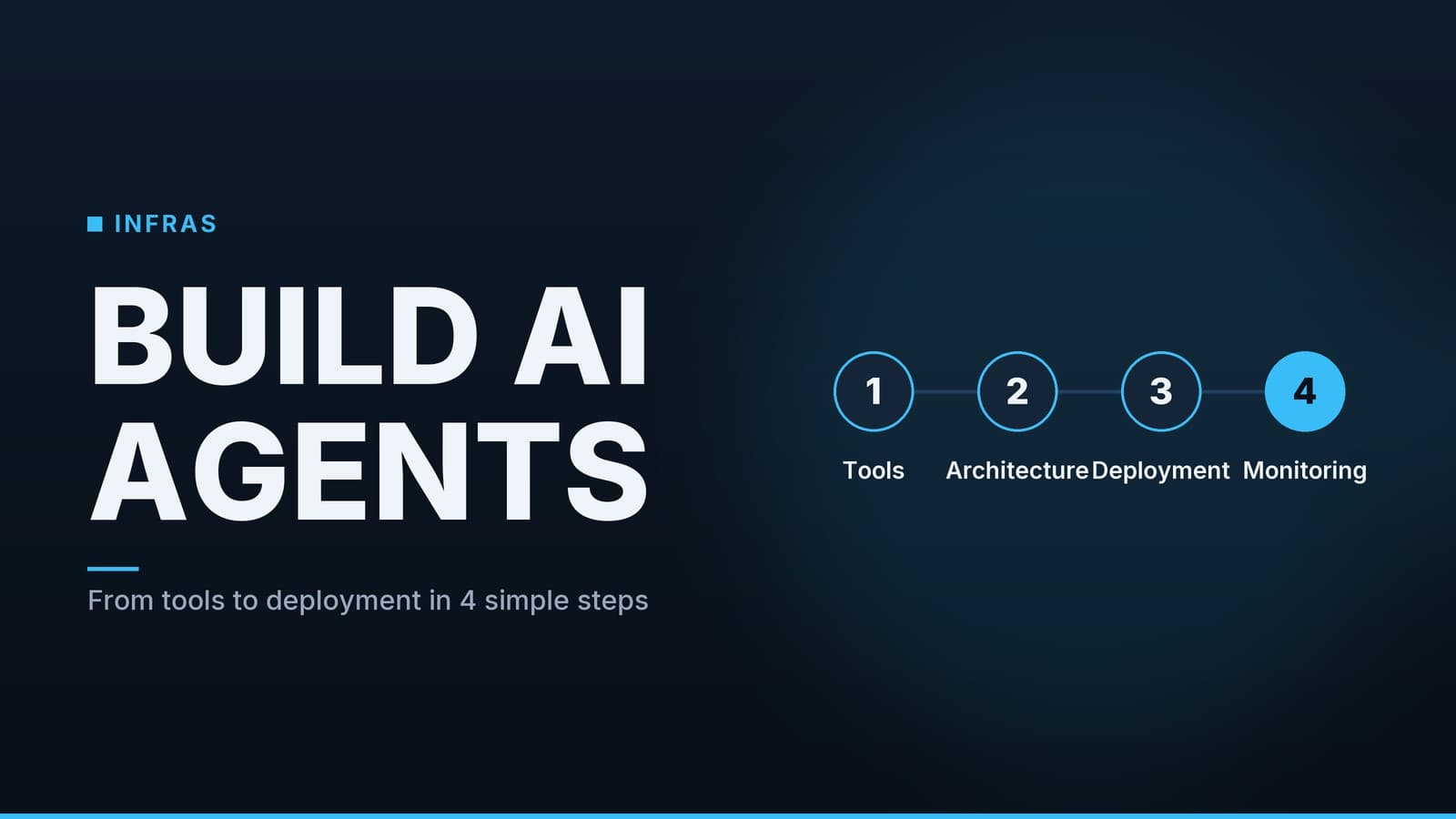
1. Define the Agent’s Purpose and Scope
- Task definition – Enumerate the concrete functions the agent must perform (e.g., drafting blog posts, answering support tickets, summarising data sets). A narrow focus limits the amount of context that must be kept in memory and simplifies downstream integration.
- Autonomy level – Decide whether the agent will act fully autonomously, request confirmation at key steps (semi‑autonomous), or operate under manual supervision. The chosen level determines how you design error handling, user‑feedback loops, and safety checks.
- Data and API inventory – List every external system the agent will call: CRM endpoints, analytics dashboards, content‑management APIs, etc. Document required authentication methods, rate limits, and expected response formats early; this information feeds directly into the workflow orchestration layer.
2. Choose the Right LLM and Prompting Strategy
2.1 Model selection
| Option | Licensing | Typical cost per 1 M tokens* | Strengths | Trade‑offs | Licensing notes |
|---|---|---|---|---|---|
| Open‑source (e.g., Llama 2, Mistral) | Permissive or commercial | No per‑token fee; compute cost applies | Full control over model version, can run on‑premise | Requires GPU resources; performance varies by hardware | Commercial‑use licences may restrict redistribution; check the specific licence |
| Commercial API (e.g., OpenAI GPT‑4o) | Service‑level agreement | Provider‑specific tiered rates | Consistent latency, managed scaling, up‑to‑date safety features | Vendor lock‑in, data may be logged per provider policy | Licensing is governed by the provider’s terms of service |
| Specialized fine‑tuned model (hosted) | Provider‑specific | Usually higher than base model | Tailored to domain language, better few‑shot performance | Additional training cost, longer iteration cycle | May inherit the base model’s licence and add a fine‑tuning licence |
*Cost figures are provider‑specific and may change; consult the official pricing page for the latest numbers.
When cost is a primary constraint, an open‑source model hosted on modest GPU instances can be cheaper than a commercial API, but the total expense includes infrastructure, maintenance, and potential latency. Conversely, a managed API removes the operational burden at the expense of per‑request fees.
2.2 Prompting strategy
| Strategy | When to use | Implementation notes |
|---|---|---|
| Prompt‑engineering | Simple tasks, limited domain shift | Store reusable templates; inject dynamic variables (e.g., user query, recent context). |
| Retrieval‑augmented generation (RAG) | Need up‑to‑date factual information or large knowledge bases | Combine a vector store with the LLM; retrieve relevant passages before generating a response. |
| Fine‑tuning | Repeated domain‑specific language, high accuracy requirement | Requires a labelled dataset; training can be done on the provider’s platform or locally for open‑source models. |
A pragmatic approach often starts with prompt‑engineering, adds RAG as the knowledge base grows, and moves to fine‑tuning only if performance plateaus.
3. Build a Memory Layer
3.1 Short‑term memory
| Storage type | Typical latency | Persistence | Typical use case |
|---|---|---|---|
| In‑memory structures (Python dict, list) | < 1 ms | Volatile (lost on restart) | Session‑level context, temporary variables |
| Redis (key‑value store) | 1–10 ms | Configurable persistence (RDB/AOF) | Shared cache across multiple worker instances, fast lookup of recent messages |
| SQLite (file‑based DB) | 1–10 ms | Persistent on disk | Small‑scale projects where relational queries (e.g., ordering by timestamp) are useful |
Short‑term memory should be scoped to a single user interaction or a short session. Keeping the data structure lightweight reduces latency and simplifies cleanup.
3.2 Long‑term memory
| Vector store | Hosting model | Query capabilities | Cost considerations |
|---|---|---|---|
| Pinecone | Managed SaaS | Approximate nearest‑neighbor search, metadata filtering | Pay‑as‑you‑go pricing; no hardware management |
| Weaviate | Managed or self‑hosted | Hybrid search (vector + keyword), GraphQL API | Open‑source version free; managed tier adds operational cost |
| Local embeddings (FAISS, Annoy) | Self‑hosted | Fast nearest‑neighbor on‑disk or in‑memory | No direct service fees; compute and storage cost borne by you |
Long‑term memory typically stores embeddings of past interactions, documents, or results of external API calls. Design a schema that links a session identifier, a timestamp, the embedding vector, and any relevant metadata (e.g., source URL, confidence score). This structure enables efficient retrieval of context that is both temporally and topically relevant.
4. Orchestrate Workflows with a Task Manager
4.1 Engine comparison
| Engine | Core abstraction | Extensibility | Community support |
|---|---|---|---|
| LangChain | Chains, agents, memory modules | Plug‑in architecture for LLMs, tools, vector stores | Active GitHub repo, many tutorials |
| LlamaIndex (formerly GPT Index) | Indexes + query pipelines | Focus on data ingestion and retrieval; can embed LangChain components | Growing ecosystem, good for document‑heavy use cases |
| Custom orchestrator (e.g., FastAPI + Celery) | Explicit HTTP endpoints + background tasks | Full control over state, error handling, and scaling | Requires more engineering effort; flexibility depends on team expertise |
If the primary need is to stitch together LLM calls, API requests, and simple data transformations, LangChain offers a ready‑made set of abstractions. For projects where the bulk of work is building searchable indexes over large document collections, LlamaIndex may reduce boilerplate. A custom orchestrator is justified when you need tight integration with existing services or bespoke state machines that do not fit the generic patterns.
4.2 State handling
| Pattern | Typical use case | Example libraries |
|---|---|---|
| Finite‑state machines (FSM) | Predictable conversation flows (e.g., “collect name → verify → submit”) | transitions, LangChain’s Agent |
| Event‑driven branching | External triggers (webhooks, callbacks) influence next step | Celery beat, AWS Step Functions |
Regardless of the engine, embed idempotency checks (e.g., unique request IDs) and retry policies to protect against transient network failures.
5. Secure and Scale the Backend
5.1 Deployment options
| Approach | Containerisation | Orchestration | Scaling model | Operational overhead |
|---|---|---|---|---|
| Docker + Kubernetes | Required (Dockerfile) | Kubernetes (self‑managed or managed service like GKE, EKS) | Horizontal pod autoscaling based on CPU/memory or custom metrics | High – needs cluster management, monitoring |
| Serverless functions (AWS Lambda, Vercel) | Optional (zip bundle) | Platform‑managed | Automatic scaling per request | Low – no servers to maintain, but cold‑start latency may affect response time |
| Hybrid (Docker on Cloud Run) | Docker image | Cloud Run (managed) | Scale to zero, pay per request | Medium – retains container flexibility with managed scaling |
Choose the model that matches your traffic pattern and team capacity. For low‑to‑moderate request volumes, a serverless platform reduces operational burden. High‑throughput or latency‑sensitive agents often benefit from a Kubernetes deployment where you can fine‑tune pod resources and networking.
5.2 Security basics
- Authentication – Use OAuth 2.0 or API‑key schemes for every external service. Store secrets in a vault (e.g., HashiCorp Vault, AWS Secrets Manager) rather than hard‑coding them.
- Rate limiting – Apply per‑user or per‑IP limits at the API gateway (e.g., Kong, Amazon API Gateway) to avoid exhausting third‑party quotas.
- Network isolation – Run the agent’s components in a private VPC or subnet; expose only the necessary inbound endpoints (typically HTTPS).
Managed database and vector‑store services often include built‑in encryption at rest and in transit, which reduces the need for custom security layers.
6. Monitor, Log, and Iterate
6.1 Observability stack
| Component | Typical tool | What it captures |
|---|---|---|
| Logging | ELK stack (Elasticsearch, Logstash, Kibana) or Datadog | Raw request/response payloads, prompt text, error traces |
| Metrics | Prometheus + Grafana or hosted solutions (Datadog, New Relic) | Latency, request volume, token usage, error rates |
| Tracing | OpenTelemetry integrated with Jaeger or Zipkin | End‑to‑end flow across LLM calls, API requests, and database queries |
When logging prompts and model outputs, be mindful of privacy regulations; redact personally identifiable information before storage.
6.2 Performance and cost signals
- Latency – Track both 95th‑percentile response time and per‑step breakdown (prompt generation, LLM inference, API call).
- Cost per request – For a commercial LLM, calculate
token_usage × provider_rate. For example, if a request uses 500 tokens and the provider charges $0.03 per 1 k tokens, the cost is $0.015. - User satisfaction – Simple thumbs‑up/down or NPS surveys can be correlated with latency and error metrics to prioritise improvements.
6.3 Continuous improvement loop
| Step | Action | Tooling |
|---|---|---|
| 1. Collect feedback | Store explicit user ratings alongside the interaction ID | Database, analytics dashboard |
| 2. Analyse failure patterns | Query logs for recurring error codes (e.g., timeouts, malformed API responses) | Elasticsearch, Kibana |
| 3. A/B test prompt variants | Deploy two prompt templates to a subset of traffic; compare downstream metrics (accuracy, cost) | Feature flag system, experiment tracking |
| 4. Iterate memory strategy | If the agent repeats information, adjust retrieval window or vector‑store relevance scoring | Vector‑store admin UI, monitoring alerts |
Keeping the monitoring pipeline lightweight and automated allows you to detect regressions early and allocate engineering effort where it yields the highest impact.
7. Model Risks and Mitigation
7.1 Hallucination risk
| Symptom | Mitigation |
|---|---|
| Fabricated facts | Add a verification step: retrieve supporting documents via RAG before finalising the answer. |
| Inconsistent style | Use a prompt that explicitly requests a style guide or format. |
| Over‑confidence | Include a confidence score in the output and surface it to the user for review. |
7.2 Bias monitoring
| Bias type | Detection | Mitigation |
|---|---|---|
| Gender, race, or cultural bias | Compare output distributions across demographic categories using a labelled test set | Fine‑tune with balanced data, apply post‑generation filtering |
| Political or extremist bias | Run outputs through a moderation API or rule‑based filter | Reject or flag content that triggers policy rules |
| Stereotype reinforcement | Analyse repeated phrases for stereotypical patterns | Manually curate prompts and training data, use diverse sources |
7.3 Licensing constraints for open‑source models
| Model | Licence | Commercial use note |
|---|---|---|
| Llama 2 | Llama 2 7B: Llama 2 License (non‑commercial) | Commercial use requires a separate licence from Meta |
| Mistral | Apache‑2.0 | Commercial use allowed |
| Open‑chat | MIT | Commercial use allowed |
Always review the licence text before deploying a model in a commercial product.
8. Deployment Performance Comparison
| Metric | Serverless | Kubernetes |
|---|---|---|
| Cold‑start latency | 50–200 ms (depends on provider) | 0 ms (pods already running) |
| Steady‑state throughput | Limited by function concurrency limits (often 1 k req/s per account) | Scales with cluster size; can reach 10 k req/s or more |
| Resource utilisation | Pay per request; idle resources are not billed | Pay for provisioned nodes even when idle |
| Observability integration | Built‑in metrics, logs; limited custom instrumentation | Full control over Prometheus, Grafana, tracing |
For agents that must respond within a few hundred milliseconds and have unpredictable traffic spikes, serverless can be attractive. If you need consistent low latency under sustained load, Kubernetes gives you the control to optimise pod resources and network paths.
9. Putting the Pieces Together
9.1 Checklist
| Step | What to do | Why it matters |
|---|---|---|
| 1. Clarify purpose | Write a one‑sentence description of the agent’s job | Keeps scope tight and guides all downstream choices |
| 2. Pick an LLM | Choose the smallest model that meets quality needs, then add RAG or fine‑tuning only if necessary | Balances performance and cost |
| 3. Implement short‑term memory | Use in‑memory structures for session context; add Redis for multi‑instance sharing | Provides fast, volatile context |
| 4. Add long‑term memory | Store embeddings in a vector store once you have enough data | Enables recall of past interactions |
| 5. Wire a workflow engine | Start with a simple chain; evolve to FSM or event‑driven logic as complexity grows | Keeps orchestration clear and maintainable |
| 6. Secure the stack | Apply OAuth or API keys, store secrets in a vault, rate‑limit traffic | Protects data and prevents abuse |
| 7. Choose deployment | Match traffic pattern to serverless or Kubernetes; consider cold‑start vs throughput | Optimises cost and latency |
| 8. Instrument everything | Log prompts, responses, metrics, and traces | Provides the data needed for optimisation |
| 9. Monitor cost and latency | Track token usage, request volume, and response times | Enables data‑driven scaling and budgeting |
| 10. Iterate | Use user feedback, A/B tests, and failure analysis to refine prompts, memory, and infrastructure | Drives continuous improvement |
Following this stack‑by‑stack checklist moves you from a prototype to a production‑grade AI agent without over‑engineering any single layer.
Frequently asked questions
Do I need a dedicated GPU to run an LLM?
For most production workloads you can rely on cloud providers that offer GPU instances or use managed LLM APIs; local GPU is only necessary for training or very low‑latency use cases.
How much does it cost to run an AI agent?
Costs vary widely: API calls to commercial LLMs can range from a few cents to a few dollars per request, while hosting vector stores and orchestration adds infrastructure charges. A small team can start with a few hundred dollars per month.