FastRouter.ai: How to Route LLM Calls Efficiently in Your Apps
A step‑by‑step guide to integrating FastRouter.ai for smarter LLM request routing and cost control.
Overview and Comparison with Existing Alternatives
FastRouter.ai is middleware that sits between your application and large language model (LLM) providers such as OpenAI, Anthropic, and Cohere. Instead of calling each provider’s API directly, your code sends a single request to FastRouter’s endpoint. The service then routes the request to a specific model based on criteria you define, such as cost, latency, or model capabilities.
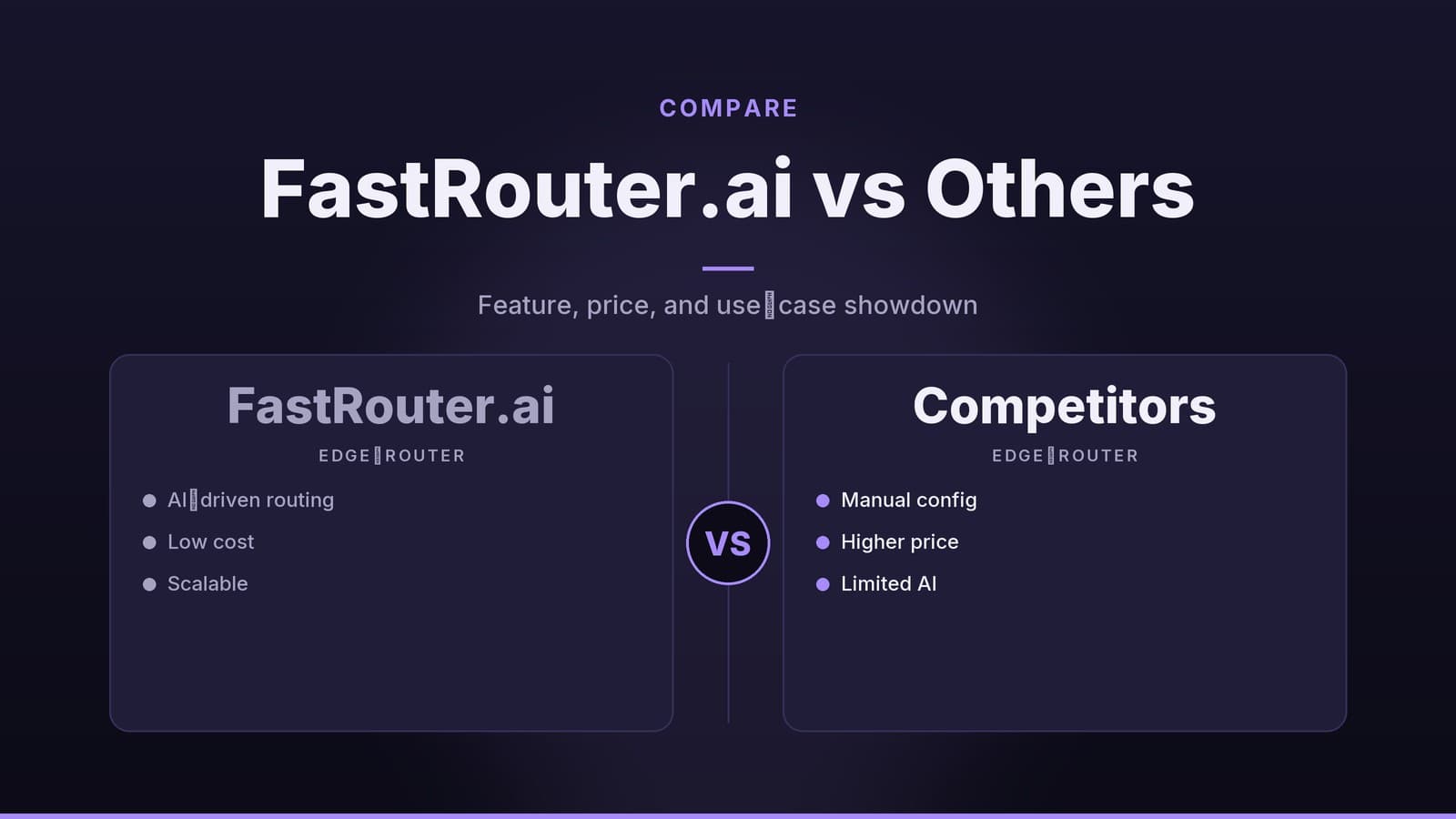
While FastRouter.ai offers a unified interface, it is not the only way to manage multi-provider LLM integrations. Developers often choose between dedicated routing services, open-source frameworks, or custom-built proxy solutions. Each approach has distinct trade-offs regarding maintenance, control, and cost.
| Approach | Maintenance Burden | Cost Control Granularity | Vendor Lock-in Risk |
|---|---|---|---|
| Direct API Calls | High (manage multiple SDKs, keys, and error handling) | Low (requires custom code for each provider) | Low |
| Open-source Frameworks (e.g., LangChain) | Medium (manage dependencies and updates) | Medium (depends on implementation) | Low |
| Custom Proxy Service | High (build and maintain your own infrastructure) | High (fully customizable) | Low |
| FastRouter.ai | Low (managed service) | Medium-High (pre-built caps and alerts) | Medium (dependency on third-party middleware) |
Using a managed service like FastRouter.ai removes the need to maintain separate SDKs and handle provider-specific authentication logic in your application code. However, it introduces a dependency on an external service. If FastRouter.ai experiences downtime, your application’s ability to send requests to LLM providers may be interrupted, regardless of the health of the underlying providers.
Setup and Configuration
Setting up FastRouter.ai involves creating an account, installing a client library, and defining routing rules. The service does not store your provider API keys; you supply them at runtime via environment variables or configuration files.
Installation
FastRouter offers client libraries for common languages. For Node.js:
npm install @fastrouter/client
For Python:
pip install fastrouter
Configuration
You define which providers are available and how requests should be routed. A typical JSON configuration includes provider credentials and routing rules. Note that API keys should be injected via environment variables rather than hardcoded.
{
  "providers": {
    "openai": {
      "api_key": "${OPENAI_API_KEY}",
      "default_model": "gpt-4"
    },
    "anthropic": {
      "api_key": "${ANTHROPIC_API_KEY}",
      "default_model": "claude-2"
    }
  },
  "routing_rules": [
    {
      "model": "gpt-4",
      "max_cost_per_1k_tokens": 0.03,
      "max_latency_ms": 800
    }
  ]
}
Client Initialization
The client library wraps the HTTP endpoint, handling authentication and basic request formatting.
const { FastRouter } = require('@fastrouter/client');

const router = new FastRouter({
  apiKey: process.env.FASTROUTER_API_KEY,
  configPath: './fastrouter-config.json'
});

const response = await router.complete({
  prompt: "Summarize the latest trends in remote work.",
  maxTokens: 150
});
FastRouter documentation mentions a sandbox endpoint that returns deterministic responses for testing. This allows you to verify routing logic in CI/CD pipelines without incurring costs from production model calls. However, the specific behavior and limitations of this sandbox environment should be verified in the official documentation before relying on it for critical testing.
Routing Logic and Decision Criteria
FastRouter’s core function is a rule engine that evaluates incoming requests against defined criteria. The engine processes rules in the order specified; the first matching rule determines the selected model.
Rule Components
The following table outlines the primary components of a routing rule. Note that specific thresholds (such as latency limits or cost caps) are user-defined and depend on your application’s requirements. There are no universal "standard" thresholds; values like "800 ms" or "$0.02" are examples, not mandated standards.
| Component | Description | Example Value |
|---|---|---|
| Cost Threshold | Maximum acceptable cost per 1,000 tokens | 0.03 USD |
| Latency Limit | Upper bound on expected round-trip time | 600 ms |
| Capability Filter | Required features (e.g., function calling) | function_calls: true |
| Availability | Health status of the provider | healthy |
| Weight | Relative probability if multiple rules match | 0.7 |
Fallback and Weighting
If a primary model is unavailable or fails, FastRouter can route the request to a fallback model. You can also assign weights to influence selection probability when multiple models satisfy the same criteria.
For example, a configuration might assign a weight of 0.6 to GPT-4 and 0.4 to Claude-2. This means 60% of matching requests go to GPT-4, and 40% go to Claude-2. Adjusting these weights allows you to shift traffic between models without redeploying code. This is useful for A/B testing or balancing load, but it does not guarantee specific performance outcomes.
FastRouter also supports automatic retries on alternative models if a request fails. This feature is configurable, but the exact retry logic and backoff strategies should be documented in your specific configuration to ensure predictable behavior during provider outages.
Cost Control and Billing
FastRouter aggregates token usage across connected providers into a unified view. It does not change the pricing of the underlying models; it consolidates usage data.
Key Features
| Feature | Function |
|---|---|
| Unified Usage Report | Displays total tokens and cost per provider/model in a single dashboard. |
| Spending Caps | Enforces daily or monthly limits per model, user, or organization. |
| Alerting | Sends notifications when usage approaches defined caps. |
| CSV Export | Allows usage data to be exported for external accounting tools. |
Setting spending caps is a common practice for managing budgets, particularly for free-tier or trial users. For instance, you might configure a limit so that a user on a free plan does not exceed a certain monthly cost. When the limit is reached, FastRouter rejects further requests, typically returning a 429 Too Many Requests error.
Note on Pricing: FastRouter’s own service fees have not been publicly disclosed in the provided materials. You should check the current pricing page on the FastRouter dashboard for accurate cost information. Setting caps and limits is a technical configuration task, but determining appropriate budget levels is a business decision that should be made in consultation with your finance or product team. This article does not provide financial advice.
Performance Monitoring and Metrics
FastRouter captures metrics for every request to help identify bottlenecks. The specific metrics available include round-trip time, token usage, and error rates.
| Metric | Description |
|---|---|
| Round-trip Time (RTT) | Time from request receipt to response return. |
| Token Usage | Number of input and output tokens per request. |
| Error Rate | Percentage of requests returning non-2xx responses. |
| Provider Health | A composite indicator based on recent performance data. |
These metrics are visualized in a dashboard and can be queried via a /metrics endpoint for custom integrations.
Important Clarifications:
- Health Score: The "Provider Health Score" is a composite metric. The exact formula and data sources for this score have not been independently verified in this context. You should review the official documentation to understand how this score is calculated before using it as a primary decision-making input.
- Thresholds: There are no universal "healthy" thresholds for latency or error rates. What constitutes an acceptable error rate depends on your application’s tolerance for failure. For example, a 1% error rate might be acceptable for batch processing but unacceptable for real-time chat.
- Benchmarks: No empirical benchmarks comparing FastRouter.ai’s performance against other routing solutions are provided here. You should conduct your own testing to determine if the service meets your specific latency and reliability requirements.
Troubleshooting and Support
When requests behave unexpectedly, FastRouter provides diagnostic tools to help identify the issue.
Diagnostic Tools
- Request Logs: Every request is logged with a unique
request_id. Logs include the selected provider, applied rules, latency, and error messages. You can query these logs via the dashboard or the/logsendpoint. - Provider Health View: The dashboard displays recent latency and error statistics per provider. Sudden increases in error rates are highlighted.
- Metric Alerts: If configured, alerts are sent when specific thresholds are breached.
Common Error Codes
| Code | Meaning | Suggested Action |
|---|---|---|
401 | Invalid API key | Verify credentials in environment variables. |
402 | Billing limit exceeded | Review configured caps. |
429 | Rate limit or spending cap reached | Adjust rate limits or increase caps. |
502 | Provider error | Check provider status; consider fallback rules. |
Support
FastRouter offers a ticketing system within the dashboard. While the service may offer priority support tiers, specific Service Level Agreements (SLAs), such as guaranteed response times for urgent tickets, have not been independently verified. You should review the support agreement or pricing documentation for details on response time guarantees.
If you suspect a bug in the routing engine, provide the request_id and a snapshot of your configuration to the support team. This helps them reproduce the issue.
Deciding Whether FastRouter.ai Fits Your Project
Before integrating FastRouter.ai, evaluate whether its features align with your project’s needs.
- Provider Diversity: If you use multiple LLM vendors, a unified endpoint can simplify code. If you use only one provider, the benefit may be limited.
- Cost Sensitivity: If you need strict budget controls, the aggregated billing and caps features may be valuable.
- Latency Requirements: Real-time applications benefit from latency-aware routing. However, adding a middleware layer introduces additional network hops, which may increase latency compared to direct calls. Measure this impact in your specific environment.
- Operational Overhead: Using FastRouter.ai reduces the need to maintain custom routing code but adds a dependency on an external service. Consider the trade-off between reduced development effort and increased operational dependency.
Compliance Note: While FastRouter allows for per-tenant routing rules, implementing these rules for compliance purposes requires careful consideration of regulatory requirements. This article does not provide legal or compliance advice. Consult with legal counsel to determine how middleware routing aligns with your specific data protection obligations.
Frequently asked questions
Does FastRouter.ai support all major LLM providers?
It currently supports OpenAI, Anthropic, Cohere, and a few others. Check the provider list on the dashboard for the latest updates.
Can I override FastRouter’s routing decisions in code?
Yes, you can supply a custom routing function in your application that receives FastRouter’s suggested model and can choose to override it.
Is there a free tier for FastRouter.ai?
FastRouter offers a limited free tier with a monthly token cap. For production use, you’ll need a paid plan, details of which are available on their pricing page.