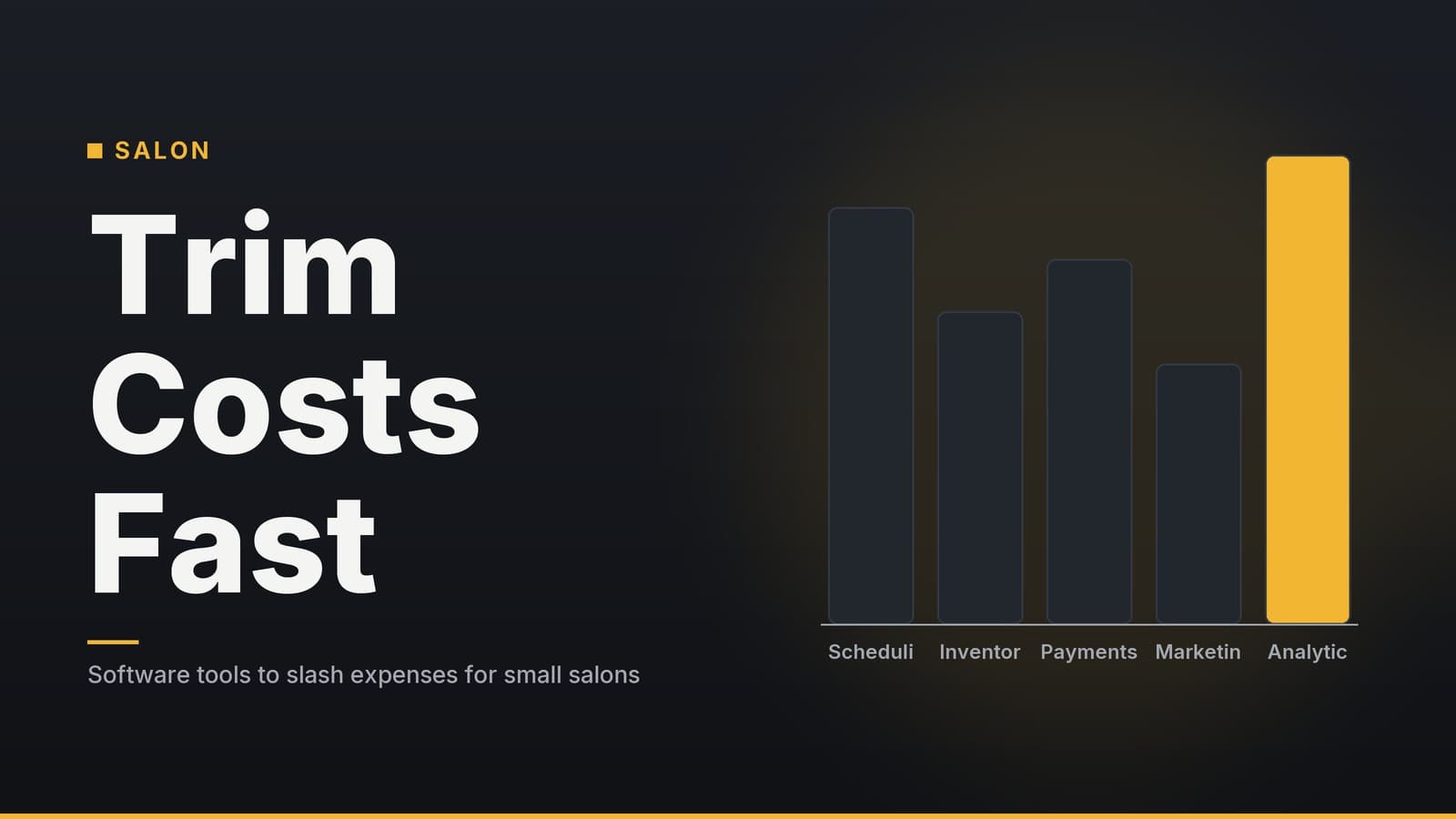
Cut Salon Costs: 5 Software Solutions for Small Salons
Practical ways a small salon can lower expenses with the right software tools.
1. Move to a Cloud‑Based Salon Management Platform
What to do first
- List every routine you currently handle with a desktop program – booking, client notes, inventory, staff rosters, sales reporting.
- Search for a cloud‑based salon platform that bundles those tasks. Most vendors let you filter by “online booking”, “inventory”, and “staff scheduling”.
- Sign up for a free trial; check the vendor’s trial length before you start. Add a handful of test clients, record a few sales, and try the mobile view on a phone or tablet.
Why the cloud matters for a salon
| Consideration | What it looks like in a busy salon | What to watch for |
|---|---|---|
| Hardware overhead | No need for a dedicated on‑premise PC, backup drives, or a local IT contract. | Ensure the device you use (tablet, POS) meets the app’s minimum specs. |
| Pricing model | Pricing structures vary; some may charge based on active usage or seat count. | Verify how “inactive” users are counted and whether any grace period applies on the vendor's current pricing page. |
| Automatic updates | Software updates are managed by the provider, reducing local IT maintenance. | Check the vendor’s update schedule – frequent minor updates are normal, but a major version change may require brief re‑training. |
| Sync latency during peak hours | Online bookings and in‑salon check‑ins should reflect changes quickly. | Test the app’s performance on a busy Saturday afternoon before fully committing to ensure it meets your speed requirements. |
| Offline capability | Some platforms offer limited offline functionality for critical tasks. | Confirm that the offline mode supports the specific functions you rely on (e.g., POS, scheduling) and how data syncs upon reconnection. |
| Vendor lock‑in | Data lives on the provider’s servers; switching later may require a data export and migration. | Ask for a data‑export tool and any fees before you sign up. |
| Internet dependency | If the Wi‑Fi goes down, the system may become unusable for bookings and POS. | Have a backup internet option (mobile hotspot) or a contingency plan for manual bookings. |
Core features to evaluate
| Feature | How it helps your day‑to‑day | Typical availability in cloud tools |
|---|---|---|
| Online booking (web & mobile) | Clients self‑schedule, reducing phone traffic. | Included in most plans. |
| Central client database | One place for history, preferences, photos, and consent records. | Core module. |
| Point‑of‑sale integration | Sales, tips, and product usage recorded instantly. | Built‑in or via a simple add‑on. |
| Inventory tracking | Auto‑deducts product quantities at checkout. | Often an add‑on; some include it in the base plan. |
| Staff scheduling & shift swapping | Stylists can request swaps; manager sees coverage at a glance. | Standard. |
| Reporting dashboard | Revenue, top services, and staff utilisation visualised. | Standard. |
| Offline mode (optional) | Keeps the POS running if Wi‑Fi fails. | Available on selected platforms. |
Budget tip – Pricing models vary by vendor, location count, and feature set. Note the advertised “starting price” but verify the current rate and specific billing structure on the vendor’s pricing page before budgeting.
2. Automate Appointment Reminders to Reduce No‑Shows
Quick‑start checklist
Turn on the reminder feature inside your salon management app.
Set two reminder times that suit your workflow – e.g., 24 hours and 2 hours before the appointment.
Write a short template (SMS or email) such as:
“We’re looking forward to seeing you at 3 pm today. Reply YES to confirm or call us if you need to reschedule.”
Send a test reminder to a staff phone, confirm delivery, then activate for all clients.
How reminders protect revenue
- A missed appointment means a lost service fee and a vacant time slot that could have been sold to another client.
- Reminders give clients a simple way to confirm or cancel, allowing you to fill the gap (e.g., via a waiting list).
Choosing a messaging add‑on
| Provider type | Typical charge | Compliance considerations | When it makes sense |
|---|---|---|---|
| Built‑in app reminders | Often included in the subscription; check plan limits. | Covered by the app’s privacy policy, but you still need to store consent. | Small salons with a limited number of appointments each month. |
| Pay‑as‑you‑go SMS gateway | Pricing varies by provider, volume, and region. | Must follow local regulations (TCPA in the US, GDPR in the EU) and retain opt‑in records. | Medium‑size salons that exceed the built‑in quota or need higher reliability. |
| Email‑only reminders | Often free (no per‑message cost). | Must include an easy unsubscribe link to stay compliant with anti‑spam laws. | Clients who prefer email or when SMS costs are prohibitive. |
| WhatsApp Business API | Pricing varies; check the current vendor rates. | Requires explicit consent; messages must follow WhatsApp’s commerce policies. | Salons already using WhatsApp for client chat and looking for a familiar channel. |
Compliance tip – Keep a record of each client’s consent to receive SMS or WhatsApp messages. Many platforms let you tick a “marketing consent” box on the client profile; use it to stay on the right side of regulations.
3. Track Inventory in Real Time
Step‑by‑step setup
- Activate the inventory module in your salon software.
- Create a SKU (stock‑keeping unit) for every consumable – hair colour, shampoo, skin‑care samples, towels.
- Train stylists to select the product at the point of sale or scan a barcode if the system supports it.
- Define low‑stock alerts that give you enough lead time to reorder (e.g., when only two weeks of usage remain).
Benefits you’ll see
- Visibility – Know exactly how many units of each product you have, how fast they’re used, and which items sit idle.
- Reduced waste – Perishable items (opened colour tubes, fresh masks) are ordered only when the data shows they’re needed, lowering the risk of expiry.
- Time savings – No more manual spreadsheet updates; the system logs usage automatically.
Spreadsheet vs. automated tracking
| Aspect | Manual spreadsheet | Real‑time software |
|---|---|---|
| Data entry | Staff must remember to log each use; prone to missed rows. | Automatic at checkout or scan. |
| Error rate | High (typos, forgotten entries). | Low; system validates quantities. |
| Weekly time spent | 30 – 60 minutes for a small salon. | A few minutes to review alerts. |
| Cost | Free (Excel/Google Sheets). | Small monthly fee per user (often bundled with the salon platform). |
| Compliance | No audit trail for product usage. | Timestamped logs useful for tax or supplier disputes. |
When to consider the upgrade – If you notice a noticeable amount of product waste or frequent stock‑outs, the inventory module can help you tighten purchasing decisions and may offset its cost over time.
4. Use Payroll & Time‑Tracking Apps – Not a Full Replacement for a Bookkeeper
Implementation roadmap
- Pick a payroll service that integrates with your salon platform (look for “integration” or “API” on the pricing page).
- Import employee details – hourly rates, tax status, benefits, and any overtime rules.
- Enable the mobile time‑clock feature; stylists tap “clock‑in” on a tablet or phone when they start work.
- Schedule payroll runs (weekly, bi‑weekly, or monthly). The app will estimate tax withholdings based on the data you provide; you remain responsible for reviewing and filing the final returns.
What a payroll app can and cannot do
| Function | Payroll app | Traditional bookkeeper |
|---|---|---|
| Capture hours (clock‑in/out) | Yes – via mobile or tablet. | Yes – often manually entered. |
| Calculate gross pay | Yes – based on rates you set. | Yes – manual calculation. |
| Estimate tax withholdings | Yes – uses current tax tables, but you must verify. | Yes – professional judgment, often more up‑to‑date. |
| Generate payslips | Yes – downloadable PDFs or email. | Yes – can be manual or via software. |
| File payroll taxes (e.g., quarterly filings) | Some apps submit forms electronically; you still need to confirm accuracy. | Bookkeeper prepares and files, often with a CPA. |
| Reconcile bank accounts, manage AP/AR, produce financial statements | No – focus is payroll only. | Yes – full accounting scope. |
| Provide audit trail for compliance | Yes – logs of changes and approvals. | Yes – depends on the bookkeeper’s system. |
Cost comparison (illustrative)
| Cost element | Full‑service bookkeeper (typical) | Payroll app + DIY accounting (typical) |
|---|---|---|
| Fixed monthly fee | Several hundred dollars, plus possible hourly charges for extra tasks | A modest per‑employee monthly fee plus a low‑cost accounting tool, if needed |
| Variable costs | Hourly rates for tax filing, year‑end reporting | Minimal; may include a one‑time setup fee for the accounting software |
| Time to process payroll | Several hours per run, plus follow‑up for errors | 30 minutes or less per run once set up. |
| Risk of errors | Depends on bookkeeper’s workload and expertise. | Built‑in validation reduces simple entry errors, but you must still review tax calculations. |
Key takeaway – A payroll app can streamline time‑tracking and routine payroll runs, freeing you from repetitive data entry. It is not a substitute for a professional bookkeeper when you need full‑service accounting, tax filing, or financial reporting. Many small salons keep a bookkeeper for month‑end close and tax compliance while using a payroll app for day‑to‑day staff payments.
Practical tip
- After each payroll run, export the payslip report and compare the tax totals against the previous month. If the totals differ by more than a small amount, double‑check the employee tax settings or consult a tax professional.
5. Simple Marketing Automation to Keep the Chair Full
Getting started in three steps
- In your salon platform, open the “Marketing” or “Campaigns” section.
- Choose a ready‑made template that matches a common trigger – e.g., birthday discount, loyalty points, or a post‑visit follow‑up.
- Fill in your business details, set the trigger (e.g., “7 days after a service”), and define the offer (e.g., “10 % off the next visit”). Activate the campaign.
Why automation works for salons
- Retention – Automated “thank‑you” or “we miss you” messages encourage clients to book again without requiring manual outreach.
- Upsell opportunities – Loyalty points or limited‑time offers can steer clients toward higher‑margin services such as colour upgrades or premium treatments.
- Cost control – Because the tools are built into the salon system, you avoid paying for a separate email‑marketing platform unless you need advanced segmentation.
Feature checklist for a good automation tool
| Feature | What to look for | Typical impact on the business |
|---|---|---|
| Birthday/anniversary discounts | Auto‑detect client DOB from profile; send a single‑use code. | Boosts repeat visits; discount cost is limited to a single appointment. |
| Loyalty program tracking | Points accrue per visit, redeemable for services or products. | Encourages higher visit frequency; you can set points to break even on high‑margin services. |
| Post‑visit follow‑up | Email or SMS sent 1-2 days after service with a short survey or offer. | Low cost; high open rates help you capture feedback and schedule the next appointment. |
| Wait‑list automation | When a slot opens, the system notifies clients on the wait‑list. | Turns cancellations into booked appointments, reducing empty chairs. |
| ROI dashboard | Shows conversions (e.g., how many discount codes were redeemed). | Lets you pause ineffective offers and double‑down on what works. |
Real‑world note – Some boutique barber shops have reported higher repeat bookings after activating an automated post‑visit thank‑you email with a modest discount. Results will vary, so use the built‑in dashboard to measure the effect and adjust the offer or timing as needed.
Further reading – For ideas on stretching a small marketing budget, see the article “Meta Muse: How Small Businesses Can Cut Marketing Costs”.
Quick‑Reference Checklist
| Area | Action | Tool type | Approx. effort to implement |
|---|---|---|---|
| Management software | Move to a cloud‑based platform | SaaS salon system | 1-2 weeks (trial, data import, staff training) |
| No‑shows | Enable automated SMS/email reminders | Built‑in + optional gateway | 1 day (template creation, test send) |
| Inventory | Activate real‑time tracking & low‑stock alerts | Inventory module | 2-3 days (SKU entry, staff onboarding) |
| Payroll | Adopt integrated payroll & time‑clock app | Payroll SaaS + basic accounting software | 1 week (employee import, clock‑in setup) |
| Marketing | Deploy birthday/loyalty and post‑visit campaigns | In‑app automation | 1-2 days (template selection, trigger configuration) |
By tackling one area at a time, you can see measurable savings or revenue gains before moving on to the next. The goal is to let software handle repetitive tasks so you and your team can focus on delivering the service that keeps clients coming back.
Frequently asked questions
Do I need a dedicated IT person to set up cloud salon software?
No; most providers offer step‑by‑step onboarding and support, and the setup can be done by the owner or a staff member with basic computer skills.
Can I use the same software for both retail product sales and service appointments?
Yes; look for a solution that combines point‑of‑sale, inventory, and appointment scheduling in one dashboard.