Unscary AI: A Safer Chatbot for Privacy‑Conscious Users
How Unscary AI’s privacy‑first design lets users chat without data collection or model fine‑tuning.
Local‑Only Architecture and Data Handling
Unscary AI is designed to operate entirely on the user’s device, meaning that text input and generated output do not traverse a network connection to a remote server for inference. This architectural choice contrasts with cloud-based chatbots, which require an active internet connection to process prompts. By keeping the computational workload local, the software eliminates the transmission of user data to third-party infrastructure.
The application stores conversation history in an encrypted local file. The encryption key is derived from a user-defined password. While the specific key-derivation function (KDF), iteration count, and salting mechanism are not detailed in the public documentation, the design intent is to ensure that stored conversations remain unreadable without the correct password. The software does not offer automatic cloud synchronization, backup, or export features. This absence of connectivity reduces the risk of data leakage through third-party storage services or compromised API keys.
It is important to note that claims regarding the complete absence of outbound network connections and telemetry are based on the project’s stated design principles and available documentation. Independent third-party audits or network traffic logs confirming that no background data transmission occurs have not been published. Users with strict compliance requirements should conduct their own network monitoring to verify that the software behaves as documented in their specific environment.
Technical Components and Hardware Requirements
The software utilizes a lightweight transformer model optimized for consumer hardware. The model size is described in general terms as occupying a moderate amount of GPU memory, but exact parameter counts and specific memory footprint figures are not provided in the public materials.
Hardware Compatibility
Performance depends heavily on the available hardware. The documentation suggests that the software can run on modern laptop GPUs, such as the NVIDIA RTX 2060, or on integrated graphics with Vulkan support. However, these examples are illustrative rather than exhaustive. Benchmarks for other GPU models, particularly older or lower-tier integrated graphics, are not publicly available. Users should expect that inference speed will vary significantly based on their specific hardware configuration. On CPUs, the software remains functional, though inference speeds are slower, making it more suitable for short prompts or less time-sensitive tasks.
Execution Environments
Unscary AI can be deployed in three primary ways:
- Browser-Based (WebAssembly): A WebAssembly build allows the software to run directly in a modern browser. This mode utilizes the GPU via WebGPU when the browser supports it. If WebGPU is not available, the fallback behavior and performance implications are not fully documented. Users should verify their browser’s WebGPU support before relying on this method for production work.
- Native Binary: Pre-compiled executables are available for Windows, macOS, and Linux. These binaries start a local inference server that the user interface connects to via a loopback address (localhost).
- Docker Container: An official Docker image (
unscaryai/unscary) bundles the binary and runtime dependencies. This option is suitable for headless servers or isolated network environments.
Because inference is local, the application does not require external credentials such as OpenAI API keys or Google Cloud tokens. This removes a common attack surface where compromised keys could be exploited to access or exfiltrate data.
Privacy Features Comparison
The following table compares the privacy-related features of Unscary AI with major commercial cloud-based chatbots. Note that the status of telemetry and data handling for commercial services is based on their publicly available privacy policies and terms of service.
| Feature | Unscary AI | OpenAI ChatGPT | Google Bard |
|---|---|---|---|
| Data Sent to Cloud | No (based on design) | Yes | Yes |
| Telemetry | No (based on documentation) | Yes (aggregate metrics) | Yes (aggregate metrics) |
| Local Storage | Encrypted local file | Cloud (linked to account) | Cloud (linked to account) |
| Model Updates | Manual (user-initiated) | Automatic via service | Automatic via service |
| Required Credentials | None | Account login / API key | Google account |
Analysis of Privacy Distinctions
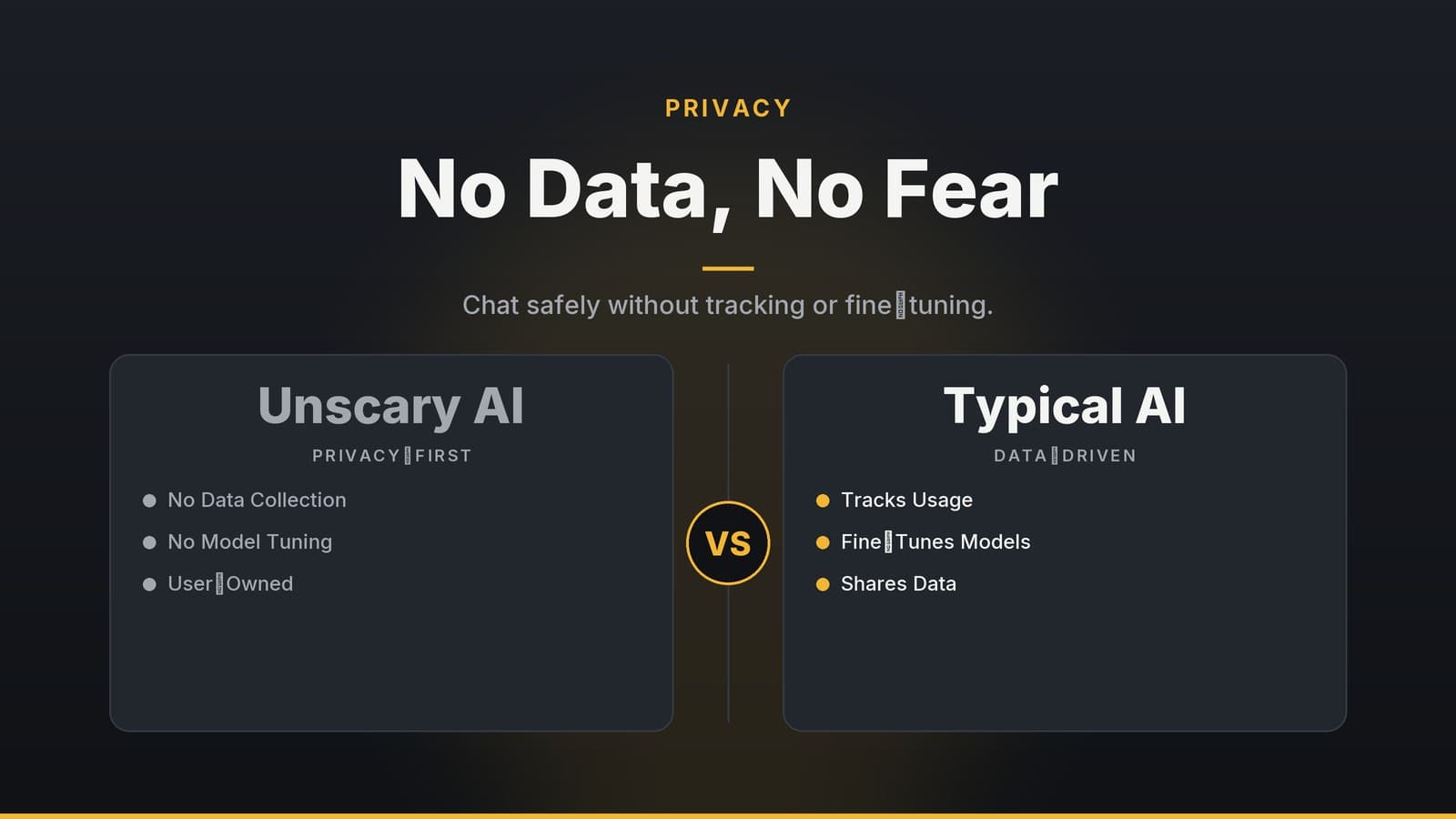
- Data Transmission: Commercial services like ChatGPT and Bard route user prompts to remote servers for processing. Unscary AI processes prompts locally. While the local-only claim is central to the software’s value proposition, it has not been independently verified by third-party security audits.
- Telemetry: Unscary AI does not report usage metrics. In contrast, cloud-based providers collect aggregate data, which may include token counts, request timestamps, and device identifiers, as described in their respective privacy policies.
- Storage Security: Unscary AI stores data in an encrypted local file. Cloud services store chat histories on remote servers tied to user accounts. While cloud storage offers convenience for multi-device access, it requires trust in the provider’s security infrastructure. Local encrypted storage places the burden of security on the user’s device and password management.
Users should be aware that the "no telemetry" claim for Unscary AI relies on the project’s documentation. There is no public, independent verification of this claim.
Practical Use Cases
The following scenarios illustrate how local processing may benefit specific user types. These descriptions focus on the technical implications of data locality rather than providing legal or financial advice.
| User Type | Scenario | Technical Benefit |
|---|---|---|
| Freelance Writer | Drafting content involving confidential client details. | Prevents client data from being transmitted to external servers, limiting exposure to third-party infrastructure. |
| Software Developer | Testing prompts containing proprietary code snippets. | Keeps source code on the local workstation, reducing the risk of intellectual property leakage via network transmission. |
| Academic Researcher | Processing unpublished data for grant proposals. | Encrypted local storage ensures that sensitive data is not stored on remote servers, mitigating risks associated with cloud data breaches. |
| Small Business Owner | Generating marketing copy without managing cloud accounts. | Eliminates the need for API key management and subscription billing, simplifying the technical setup. |
In each case, the primary technical advantage is the isolation of data from external networks. Users should still exercise standard security practices, such as keeping their operating systems updated and using strong passwords, to protect the local data.
Installation and Setup
Download and Verification
- Download: Visit the official repository’s releases page to download the binary for your operating system (Windows
.exe, macOS.dmg, or Linux.tar.gz). - Signature Verification: The project provides PGP signatures for its releases. To verify the integrity of the download:
- Import the project’s public PGP key into your keyring.
- Use your PGP tool to verify the signature of the downloaded file.
- Note: The documentation does not provide a step-by-step guide for obtaining the trusted public key or specific commands for verification. Users should consult general PGP security best practices to ensure they are importing the correct key from a trusted source.
Docker Deployment
For containerized environments, use the following commands:
docker pull unscaryai/unscary:latest
docker run -d -p 8080:8080 --restart unless-stopped unscaryai/unscary
The container exposes a local HTTP endpoint on port 8080, which the web UI can connect to.
First-Run Configuration
Upon first launch, the software prompts the user to create a password. This password is used to derive the encryption key for local storage. The password is held in memory only for the duration of the session and is not sent over the network.
Command-Line Usage
For quick queries, the software supports a command-line interface. A basic usage example is:
unscary-ai --prompt "Explain quantum tunnelling in two sentences"
The response is printed to standard output (stdout). By default, the response is not saved. To persist the conversation, you must explicitly add the --save flag:
unscary-ai --prompt "Your prompt here" --save
Updating the Software
Updates are distributed as new binary releases or Docker image tags. There is no automatic background updater. To update:
- Download the new binary or pull the new Docker image.
- Replace the existing executable or restart the container with the new image.
- Migration: The documentation does not specify a versioning scheme for encrypted conversation files or provide migration steps for existing data. If a new version changes the encryption format or file structure, existing encrypted files may not be compatible. Users should back up their encrypted conversation files before updating. Checksum verification for updates is not detailed in the public documentation; users should rely on PGP signature verification as described above.
Limitations and Trade-offs
| Limitation | Impact | Mitigation |
|---|---|---|
| Model Size and Capability | The model is smaller than large cloud-based models (e.g., GPT-4). Exact parameter counts are not published. Responses may lack depth or factual breadth compared to larger models. | Use the tool for brainstorming, drafting, or creative tasks. Manually verify any factual claims before using them in final deliverables. |
| Knowledge Cutoff | The model’s training data has a fixed cutoff date, which is not explicitly stated in the documentation. It does not know about events or terminology from after this date. | Supplement the model with local knowledge bases or manually research time-sensitive information. |
| Hardware Dependency | Inference speed is dependent on GPU/CPU performance. Older hardware may experience significant latency. | Run the software on dedicated hardware with sufficient GPU memory, or accept slower turnaround times on CPU-only setups. |
| No Real-Time Updates | The model does not update automatically. Users must manually download and install new versions. | Periodically check the project’s release channel for updates and manually replace local files. |
| No Cloud Sync | Conversation history cannot be automatically synchronized across devices. | Manually export encrypted conversation files and import them on other machines. Ensure file version compatibility. |
These limitations are inherent to a local-first design. Users should weigh the privacy benefits against the reduced linguistic capability and the manual effort required for maintenance.
Note: The advice to use the tool for brainstorming rather than final content is a technical recommendation based on model capability, not a legal or financial guarantee of accuracy. Users are responsible for verifying the correctness of any generated content.
Pricing and Licensing
Open-Source License
The source code for Unscary AI is released under an open-source license. The documentation refers to it as "MIT/Apache-compatible," but it does not specify which exact license applies to the codebase. Users should review the LICENSE file in the repository to determine the specific terms, including any restrictions on commercial use or modification.
Commercial Licensing
A separate enterprise license is available for organizations that wish to embed the engine into internal products or require a support agreement. The vendor has not published a price list or cost structure for this license. Interested parties must contact the sales team for a quote.
Model Weights
The compiled model weights are distributed as binary blobs. The project states that this is done to avoid the accidental redistribution of underlying training data. However, the documentation does not provide detailed citations to specific data-use policies or legal agreements governing the distribution of these weights. Users should review the repository’s license terms to understand the permitted uses of the model weights.
No Subscription Model
Because inference runs locally, there are no recurring charges for API usage, token limits, or tiered access. The only potential cost is the hardware required to run the software efficiently.
Disclaimer: This article provides technical information about the software and does not constitute legal, financial, or compliance advice. Organizations with specific regulatory requirements should conduct their own risk assessment and consult with qualified legal counsel before adopting any AI tool.
Frequently asked questions
Does Unscary AI store my conversations?
All data is stored locally on your device in encrypted form and is not transmitted anywhere.
Can I run Unscary AI on a mobile phone?
The current release targets desktop and server environments; mobile support is not yet available.